
Tili Ota yhteyttä
Ostoskorisi
Toimitus DPD & FedEx
Tarvitsetko apua? Kysy AI:lta

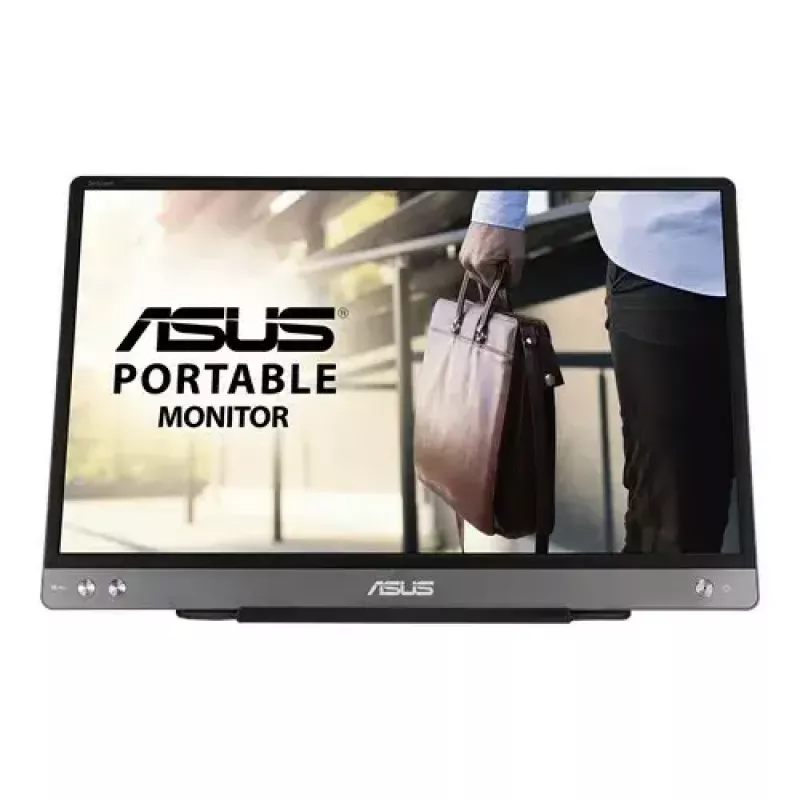
ASUS MB14AC -tietokonemonitori 35,6 cm (14") 1920 x 1080 pikseliä Full HD harmaa

ASUS MB14AC -tietokonemonitori 35,6 cm (14
36 kk
ASUS MB14AC -tietokonemonitori 35,6 cm (14
ASUS MB14AC -tietokonemonitori 35,6 cm (14") 1920 x 1080 pikseliä Full HD harmaa
214,74 €
Extend your vision. Free your world.ASUS ZenScreen™ MB14AC is designed to keep you productive, wherever you are. It‘s the portable monitor with a hybrid USB-C signal solution(DP Alt mode+ USB 3.0), which means that it only needs a single USB-C cable for both power and video transmission. With a slim... Lue lisää
Varasto 8 Tuotekoodi 4277 Merkki ASUS Malli 90LM0631-B01170 Takuu 3 vuotta
KategoriaKannettavat näytöt

Toimitus ja palautukset

Arvioitu toimitusaika keskiviikko 28. lokakuuta
Saat päivitykset yksityiskohtaisen seurantajärjestelmän kautta
Maksuvaihtoehdot
MaksukorttiVisaMastercardPayPalApple PayGoogle PayTilisiirto
Extend your vision. Free your world.
ASUS ZenScreen™ MB14AC is designed to keep you productive, wherever you are. It‘s the portable monitor with a hybrid USB-C signal solution(DP Alt mode+ USB 3.0), which means that it only needs a single USB-C cable for both power and video transmission. With a slim 9mm profile, and weighing just 0.59kg, ZenScreen MB14AC is also a compact 14-inch companion monitor to meet different needs for laptop users.

Hybrid-signal solution: USB Type-A and Type-C support
ZenScreen™ MB14AC only requires a single USB connection for both power and video transmission from your host device. It features an innovative hybrid-signal solution with native support for USB Type-C™ (USB-C™) connections, and uses an installed driver* to support USB Type-A connectors for full compatibility. The reversible, any-way-up USB-C design enables quick, hassle-free connection to any device.
*DisplayLink driver required for hybrid-signal connections via USB Type-A. Please visit the Support site to get the download information.

Slim and stylish ultraportable design
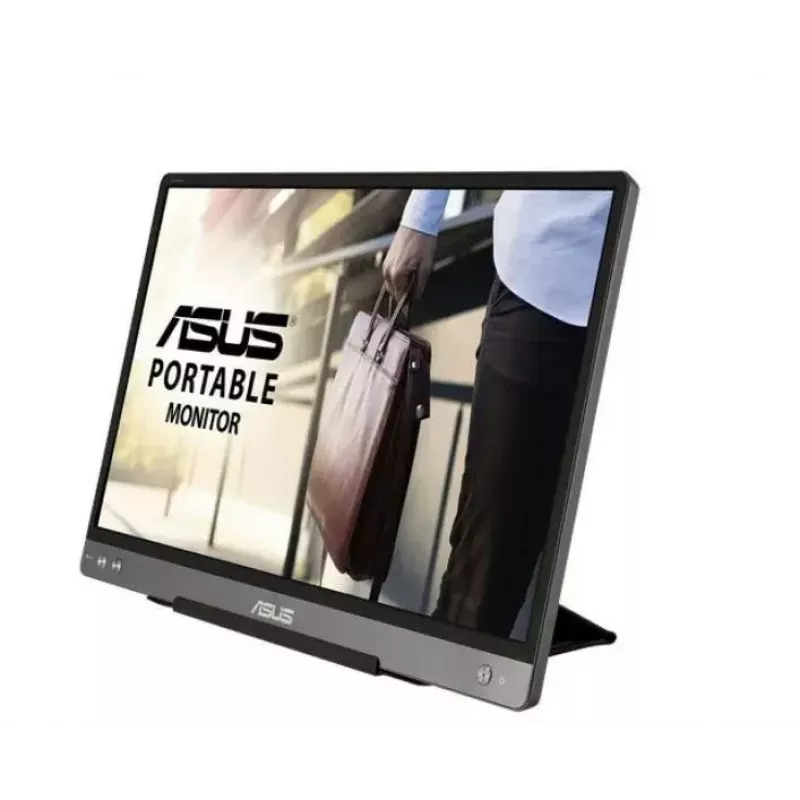
ZenScreen™ MB14AC is ideal for use as a secondary monitor for dual-monitor presentations, and its versatility helps you get things done more efficiently when you're on the go. It barely tips the scales at a lightweight 590g, and with its ultra-slim 9mm profile it fits easily in any travel bag.

Wide viewing angles
ZenScreen™ MB14AC features a Full HD panel that delivers stunning 1920 x 1080 resolution visuals with outstanding color reproduction. It uses IPS technology to give you more flexibility when extending your screen, so you still get superb color and contrast - even from extreme viewing positions.

Designed with versatility
The new foldable smart case protects ZenScreen™ MB14AC from dust and scratches with lighter weight. The case can be folded into a stand to prop the monitor up in either portrait or landscape orientation. Besides, the exclusively designed mounting hole on the rear cover, which supports standard 1/4 “ screw thread, lets you assemble a conventional tripod or tabletop mounting system with ease.

Protect your eyes with ASUS Eye Care technology

ASUS blue light filter
Exclusive ASUS Ultra-Low Blue Light technology protects you from harmful blue light. It offers four blue-light filter settings that are easily accessed through the onscreen display menu via the hotkey.

ASUS Flicker-free technology
It's time to say goodbye to those tired, strained eyes. ZenScreen MB14AC features TÜV Rheinland-certified ASUS Flicker-free technology to reduce flicker for a comfortable viewing experience. This technology helps minimize instances of eyestrain and other damaging ailments, especially when you spend long, countless hours in front of a display watching favorite videos.

How to use

Connect the ZenScreen MB14AC to your laptop using the supplied USB-C cable. When your device supports DP Alt Mode, the single cable carries both video and power; otherwise use the hybrid cable and an additional USB 3.0 connection as required. Open the foldable smart case and position it to act as a stand in portrait or landscape orientation. Use your operating system’s display settings to choose orientation, extended or mirrored display mode, and adjust brightness or color settings as needed.

Recommendations

For the best experience, use a laptop that supports DisplayPort Alt Mode over USB-C for single-cable video and power. Keep the screen clean and avoid direct sunlight to reduce glare; if you frequently switch orientations enable automatic rotation in your OS to use portrait mode smoothly.

Tärkeimmät ominaisuudet
  • Business travel and remote work where a second screen is needed
  • Presentations and meetings for expanding display area
  • Creators and office users who need additional screen space for documents and toolbars
  • Students who require a portable external monitor for study and multitasking
  • Display diagonal: 14"
  • Resolution: 1920 x 1080 (Full HD)
  • Panel type: IPS, 178° viewing angle
  • Refresh / response: 5 ms response time
  • Brightness: 250 cd/m² (typical)
  • Contrast ratio: 700:1 (typical)
  • Connectivity: Hybrid USB-C (DP Alt Mode + USB 3.0); USB Type-C downstream port x1; built-in USB hub
  • HDCP: 1.4
  • Dimensions: 324.94 x 208.03 x 11.2 mm
  • Weight: 1.265 kg
  • Colour: Grey
Tekniset tiedot
Audiotulo
No
DisplayPort-liitäntöjen määrä
0
DVI-liitäntä
No
Energiankulutus (SDR) 1000 tuntia kohden
5 kWh
Energiatehokkuusasteikko
A to G
Energiatehokkuusluokka (SDR)
B
Harmonized System (HS) -koodi
85285210
HD-tyyppi
Full HD
HDCP
Yes
HDMI
No
HDMI-liitäntöjen määrä
0
Katselukulma, pysty
178°
Katselukulma, vaaka
178°
Käyttölämpötila (T-T)
0 - 40 °C
Kontrastisuhde (tyypillinen)
700:1
Korkeuden säätö
No
Korkeus (jalustan kanssa)
208 mm
Kosketusnäyttö
No
Kuulokelähtö
No
Kuvasuhde
16:9
LED-merkkivalot
Yes
Leveys (jalustan kanssa)
324.9 mm
Low Blue Light -tekniikka
Yes
Markkina-asemointi
Business
Mukana tulevat kaapelit
USB Type-C to USB Type-C
Näkyvä koko, pysty
17.4 cm
Näkyvä koko, vaaka
30.9 cm
Näkyvä näytön koko
35.6 cm
Natiivi kuvasuhde
16:9
Näytön kirkkaus (tyypillinen)
250 cd/m²
Näytön koko
35.6 cm (14")
Näytön muoto
Flat
Näytön resoluutio
1920 x 1080 pixels
Näytön värien määrä
16.78 million colours
Paino (jalustan kanssa)
590 g
Pakkauksen korkeus
257 mm
Pakkauksen leveys
392 mm
Pakkauksen paino
1.3 kg
Pakkauksen syvyys
77 mm
Paneelin tyyppi
IPS
Pikseliväli
0.16 x 0.16 mm
Sertifiointi
BSMI, CB, CCC, CU, FCC, J-MOSS, KCC, UkrSEPRO, UL/cUL, VCCI, WEEE, WHQL (Windows 10, Windows 8.1, Windows 7), TUV Flicker-free, TUV Low Blue Light, RCM
Sisäänrakennettu kamera
No
Sisäänrakennetut kaiuttimet
No
Suurin virkistystaajuus
60 Hz
Syvyys (jalustan kanssa)
11.2 mm
Tuetut grafiikkaresoluutiot
640 x 480 (VGA), 800 x 600 (SVGA), 1024 x 768 (XGA), 1280 x 1024 (SXGA), 1280 x 960, 1440 x 900 (WXGA+), 1680 x 1050 (WSXGA+), 1920 x 1080 (HD 1080)
Tuotteen väri
Grey
Vaijerilukon kiinnityspaikka
No
Välkkymätön tekniikka
Yes
Vasteaika
5 ms
VESA-kiinnitys
No
VGA (D-Sub) -liitäntöjen määrä
0
Virrankulutus (pois päältä)
0 W
Virrankulutus (PowerSave)
0 W
Virrankulutus (tyypillinen)
7 W
Wi-Fi
No

Energiamerkintä

Avaa asiakirja

Käyttöohje

Avaa asiakirja
Hintahistoria viimeisen 6 kuukauden ajalta
ASUS MB14AC -tietokonemonitori 35,6 cm (14") 1920 x 1080 pikseliä Full HD harmaa
Nykyinen
214,74 €
Alin
163,99 €
Ylin
240,06 €
Muutos 24 h
+3,17 €   +1%
Viikko
-23,88 €   -10%
Kuukausi
+39,69 €   +23%

Kirjoita arvostelu

Arvosana *
Nimesi näytetään julkisesti – voit käyttää nimimerkkiä. Kutsumme ostajia kirjoittamaan arvosteluja; tarkistamme arvostelut ennen julkaisua ja julkaisemme myös kriittiset.

Asiantuntija-arvostelut

Teknologiamedioiden riippumattomat arvostelut

rtings.comSamuel
6.1/10

“The ASUS ZenScreen MB14AC is a mediocre portable monitor. It has a 14" screen that provides enough space to place one or two windows, great for use as a second monitor while traveling.”

Plussat
  • High pixel density
  • Low input lag
  • Flicker-free backlight
Miinukset
  • Very narrow color gamut
  • Mediocre contrast ratio
  • Limited ergonomics
Lue koko arvostelu: rtings.com →

Lisää ASUS-tuotteita tässä kategoriassa

Suositut tuotteet tässä kategoriassa

Myyjä: UAB KUR LT · Laisvės pr. 125A, LT-06118 Vilna, Liettua · Yritystunnus 303192950 · ALV-numero LT100008198612 · Toimitus EU:sta (Liettua)
Hei, olen DistriNoden tekoälyavustaja. Autan sinua löytämään tuotteita, vertailemaan vaihtoehtoja, laatimaan tarjouksia PDF-muodossa tai tekemään tukipyyntöjä.
Kaikki kategoriat