
Tili Ota yhteyttä
Ostoskorisi
Toimitus DPD & FedEx
Tarvitsetko apua? Kysy AI:lta

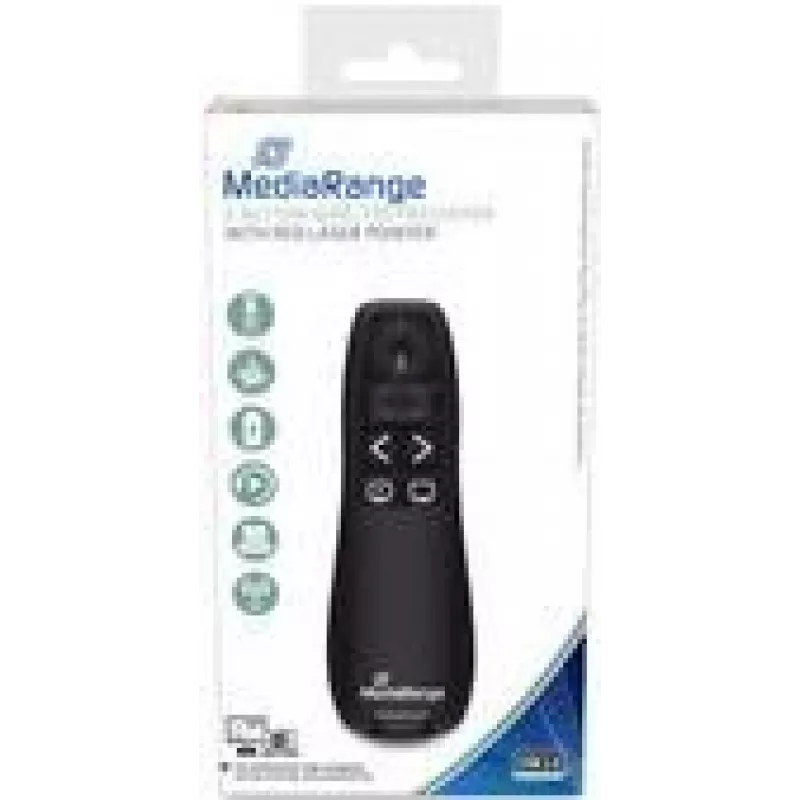
MediaRange MROS220 langaton esityskaukosäädin

MediaRange MROS220 langaton esityskaukosäädin
13,81 €
MediaRange MROS220 wireless presenter with red laser pointer and five navigation buttons provides a compact, plug-and-play solution for controlling slides during lectures, meetings and classroom presentations. The device connects via the included USB RF receiver (2.407–2.463 GHz) and lets you move u... Lue lisää
Varasto 8 Tuotekoodi 1458455 Merkki MEDIARANGE Malli MROS220 Takuu 2 vuotta

Toimitus ja palautukset

Arvioitu toimitusaika Perjantai, Lokakuu 9
Saat päivitykset yksityiskohtaisen seurantajärjestelmän kautta
Maksuvaihtoehdot
MaksukorttiVisaMastercardPayPalApple PayGoogle PayTilisiirto

MediaRange MROS220 wireless presenter with red laser pointer and five navigation buttons provides a compact, plug-and-play solution for controlling slides during lectures, meetings and classroom presentations. The device connects via the included USB RF receiver (2.407–2.463 GHz) and lets you move up to 15 m from the computer while pointing and switching slides. Powered by AAA batteries, the presenter has a slim black housing for comfortable handling.

Advantages

The presenter uses RF wireless technology for reliable connection without line-of-sight restrictions, includes a visible red laser pointer for easy highlighting, and offers five dedicated buttons for slide navigation and control. Its plug-and-play USB receiver requires no driver installation, and the lightweight compact design makes it easy to carry and operate during presentations.

Suitable for

  • Business presentations and meetings
  • University lectures and classroom teaching
  • Workshops and training sessions
  • Auditorium and conference talks

Key specifications

  • Model: MediaRange MROS220
  • Wireless technology: RF (2.407–2.463 GHz)
  • Range: up to 15 m
  • Pointer: red laser
  • Buttons: 5 navigation buttons
  • Power supply: AAA batteries
  • Dimensions (W×D×H): 27 × 115 × 37 mm
  • Weight: 0.045 kg
  • Colour: Black
  • Includes: USB RF receiver (Plug & Play)

How to use

Insert the required AAA batteries, plug the included USB RF receiver into your computer and wait for the system to recognise the device. Stand within the effective range (up to 15 m) and use the navigation buttons to move forward or backward through slides; use the red laser pointer to highlight details on the screen. No driver installation is necessary for most operating systems.

Recommendations

For stable performance, keep the USB receiver free from metal obstructions and replace batteries when pointer brightness or button responsiveness decreases. Comply with local laser safety regulations and avoid pointing the laser at people’s eyes.

Tärkeimmät ominaisuudet
  • Business presentations and meetings
  • University lectures and classroom teaching
  • Workshops and training sessions
  • Auditorium and conference talks
  • Model: MediaRange MROS220
  • Wireless technology: RF (2.407–2.463 GHz)
  • Range: up to 15 m
  • Pointer: red laser
  • Buttons: 5 navigation buttons
  • Power supply: AAA batteries
  • Dimensions (W×D×H): 27 × 115 × 37 mm
  • Weight: 0.045 kg
  • Colour: Black
  • Includes: USB RF receiver (Plug & Play)
Tekniset tiedot
Aallonpituusalue
650 - 650
Akun tyyppi
AAA
Esitysohjaimen toiminnot
Laser pointer
Korkeus
37 mm
Langaton kantama
15 m
Langaton tekniikka
RF
Langattoman vastaanottimen liitäntä
USB
Laserluokka
2
Laserosoittimen väri
Red
Lasersäteen teho
1.991 mW
Leveys
27 mm
Painikkeiden määrä
5
Paino
0.045 kg
Pakkauksen tyyppi
Box
Plug and Play
Yes
Syvyys
115 mm
Taajuuskaista
2.407 - 2.463
Tuettujen paristojen määrä
2
Tuotteen väri
Black
Hintahistoria viimeisen 6 kuukauden ajalta
MediaRange MROS220 langaton esityskaukosäädin
Nykyinen
13,81 €
Alin
12,21 €
Ylin
28,46 €
Muutos 24 h
+0,45 €   +3%
Viikko
-0,23 €   -2%
Kuukausi
+1,40 €   +11%

Suositut tuotteet tässä kategoriassa

Hei, olen DistriNoden tekoälyavustaja. Autan sinua löytämään tuotteita, vertailemaan vaihtoehtoja, laatimaan tarjouksia PDF-muodossa tai tekemään tukipyyntöjä.