Tili Ota yhteyttä
Ostoskorisi
Toimitus DPD & FedEx
Tarvitsetko apua? Kysy AI:lta

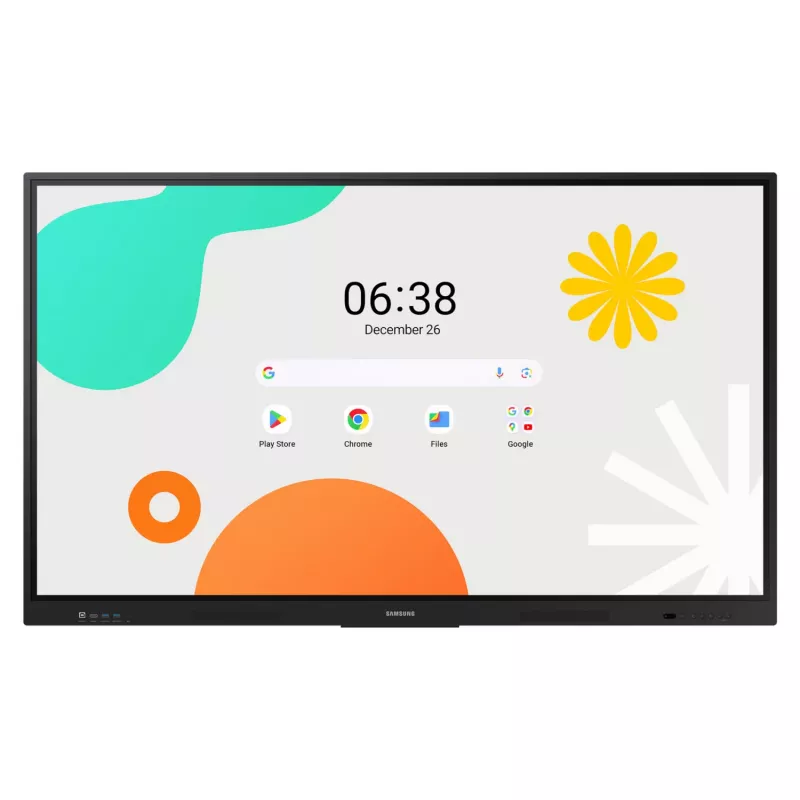
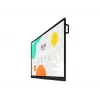
Samsung LH86WAFWLGCXEN -monitori 86 inch kosketusnäyttö 3840 x 2160

Samsung LH86WAFWLGCXEN -monitori 86 inch kosketusnäyttö 3840 x 2160
36 kkilmaiseksiilmainen
Samsung LH86WAFWLGCXEN -monitori 86 inch kosketusnäyttö 3840 x 2160
1 932,87 €
PDF
PDF
Varasto 36 Tuotekoodi 4406 Malli LH86WAFWLGCXEN Takuu 3 vuotta

Toimitus ja palautukset

Arvioitu toimitusaika maanantai 16. marraskuuta
Saat päivitykset yksityiskohtaisen seurantajärjestelmän kautta
Maksuvaihtoehdot
MaksukorttiVisaMastercardPayPalApple PayGoogle PayTilisiirto

Esitä kysymys – AI-avustaja vastaa heti.

Kuvaus
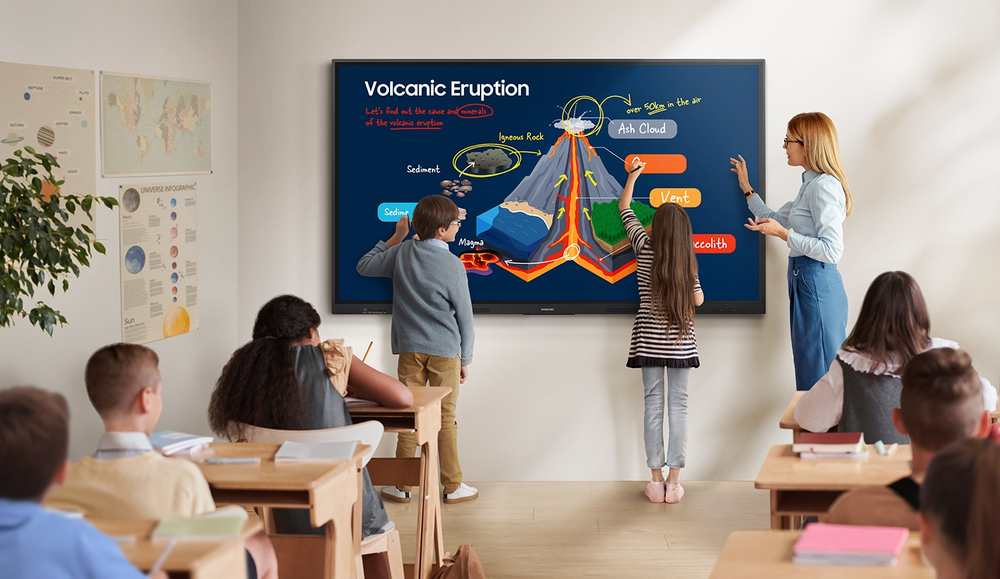
Unlimited Learning Possibilities

Unlimited Learning Possibilities

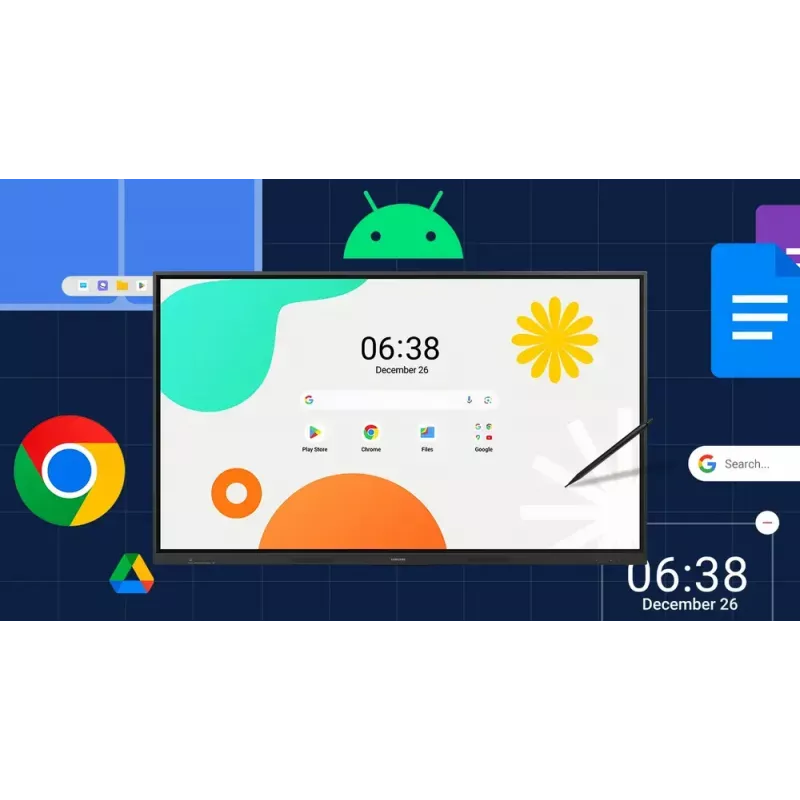
The interactive display WAF series, powered by Android OS, enhances education with Google services and a seamless annotation function. Instantly take notes at any moment and empower students to collaborate independently in separate zones, ushering in a new era of interactive education.

An intuitive UX that fits your needs

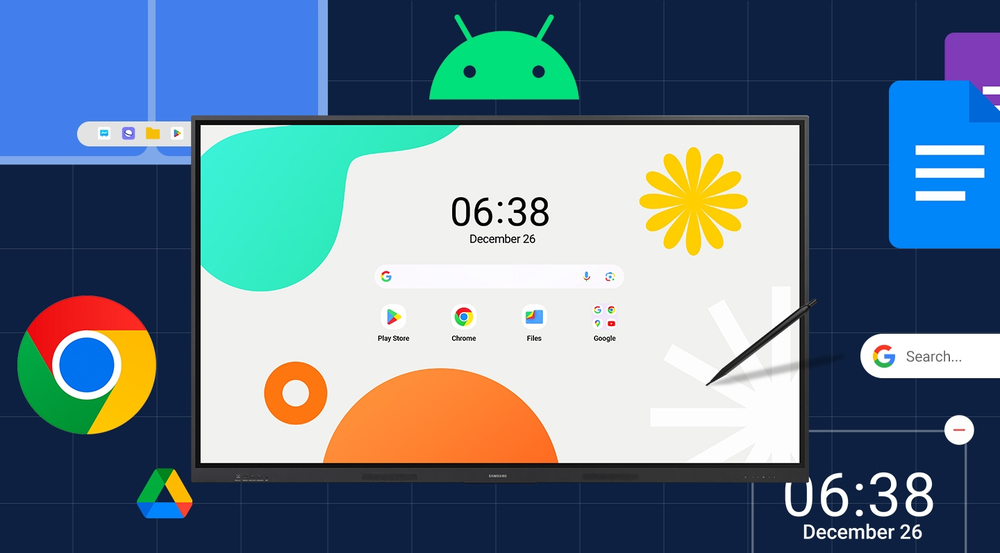
Powered by Android™The WAF series offers familiarity to its users. It's compatible with other Android devices and provides a variety of widgets and an easily customizable home screen. These features create more flexibility in building an environment that suits various learning needs.
An intuitive UX that fits your needs
Effortless access to Google services

Effortless access to Google services

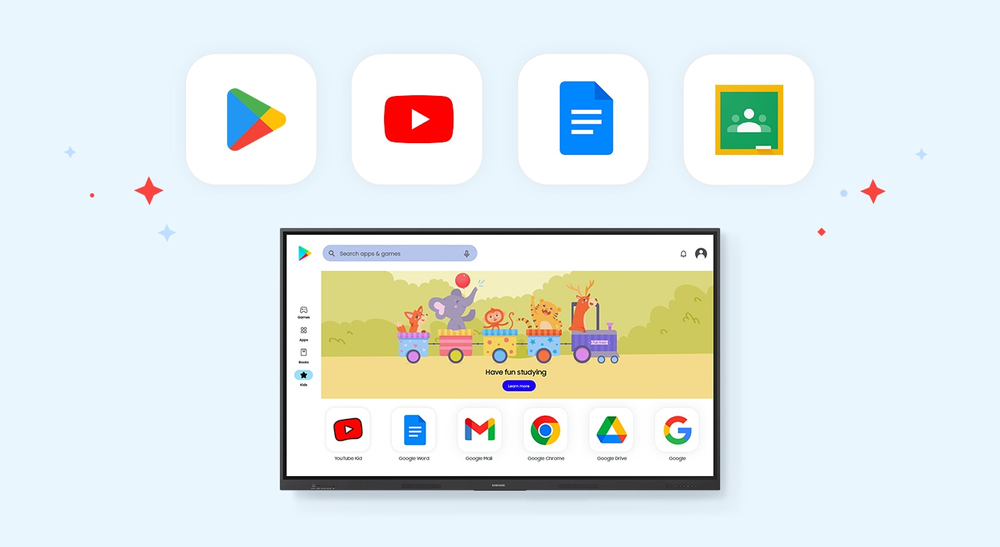
EDLA CertificationWith an EDLA certification, the WAF series supports a variety of Google services like Google Play and YouTube. This access to major educational apps like Google Classroom leads to increased efficiency and enhanced communication with students.

Take notes instantly, anywhere on the screen
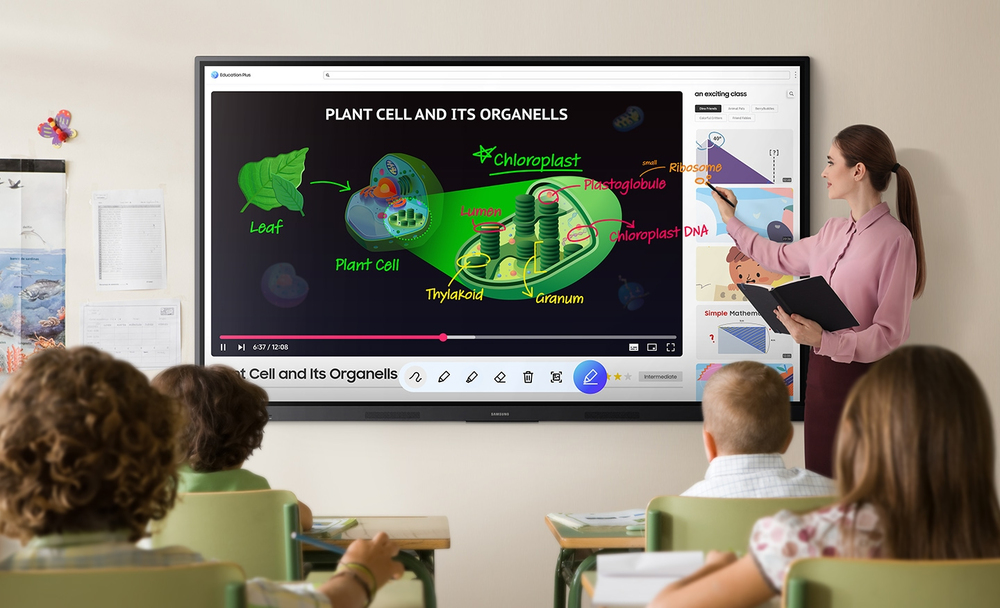
Annotation OnThe WAF series lets users take notes anytime with a simple press of the always-visible Annotation button. Whether watching a video or viewing any content, users can seamlessly annotate without interruptions, avoiding the need to capture images first and enhancing productivity.
Take notes instantly, anywhere on the screen
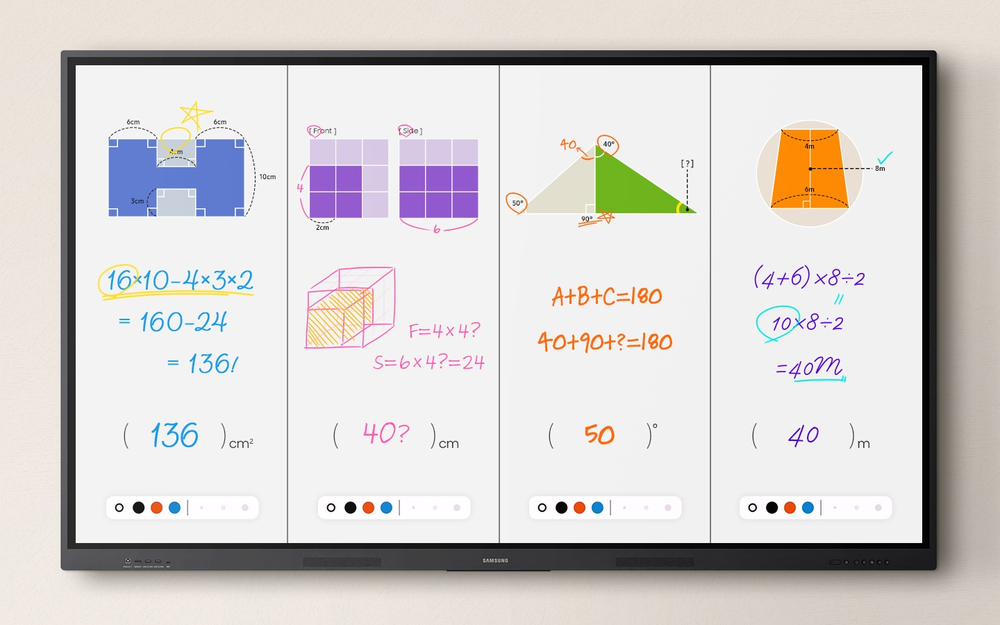
Write independently, learn together

Write independently, learn together

Split Note ModeThe upgraded Note app allows up to four independent note zones on a single page, enabling multiple students to use the whiteboard simultaneously. Students can work in their own zones without affecting others, fostering both collaboration and individual learning.

Display multiple screens simultaneously
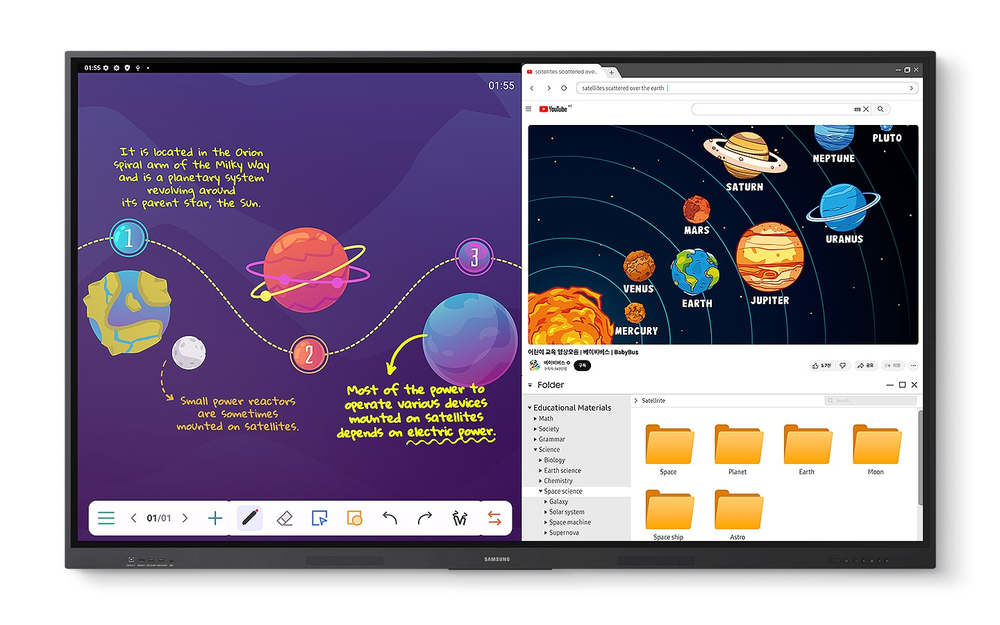
Easy MultitaskingThe split screen and multi-window, enable teachers to easily display information and multitask at the same time on the WAF series. This flexibility provides convenient access to all the screens required to create engaging learning environments.
Display multiple screens simultaneously
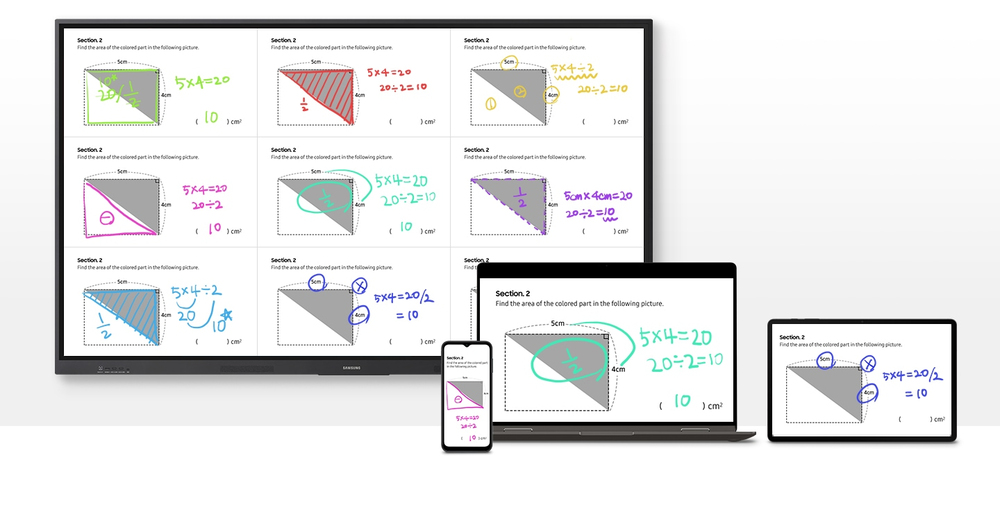
Smart, wireless sharing on multiple devices

Smart, wireless sharing on multiple devices

Powerful Screen SharingThe WAF series supports screen mirroring for up to nine devices, increasing student engagement. This feature ensures every student is included and engaged as content can be shared on both the large display and individual devices. It can be used on iOS, Mac, Windows, Android.

Better interaction with best-in-class multi-touch
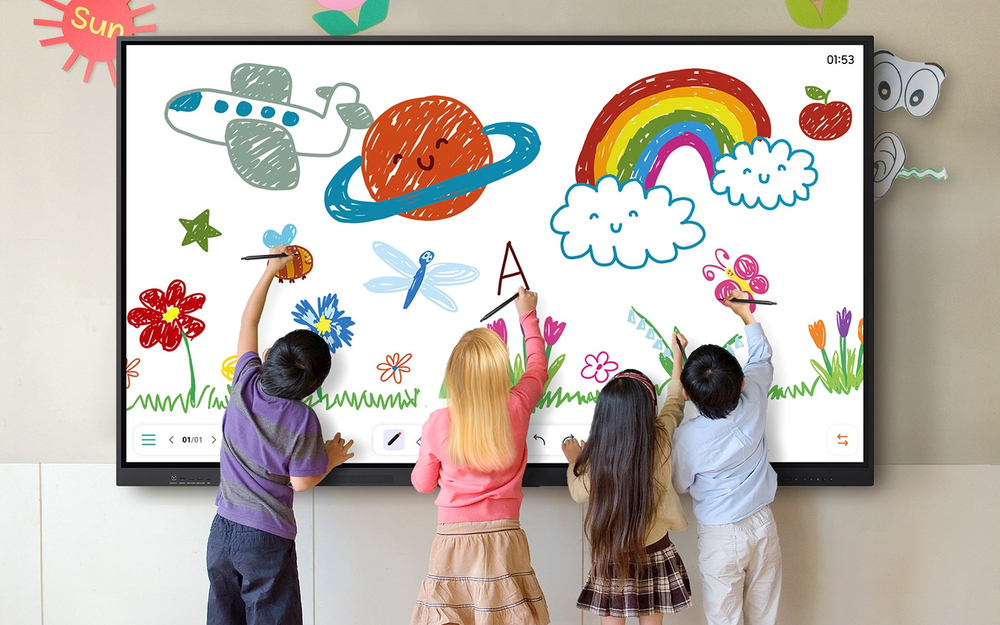
Multi-point touch drawingMultiple users can write and draw on the whiteboard at the same time with the displays advanced multi-touch capabilities. Up to 40 simultaneous touchpoints are possible, allowing large groups of students and teachers to collaborate and learn together in a fun and natural way.
Better interaction with best-in-class multi-touch
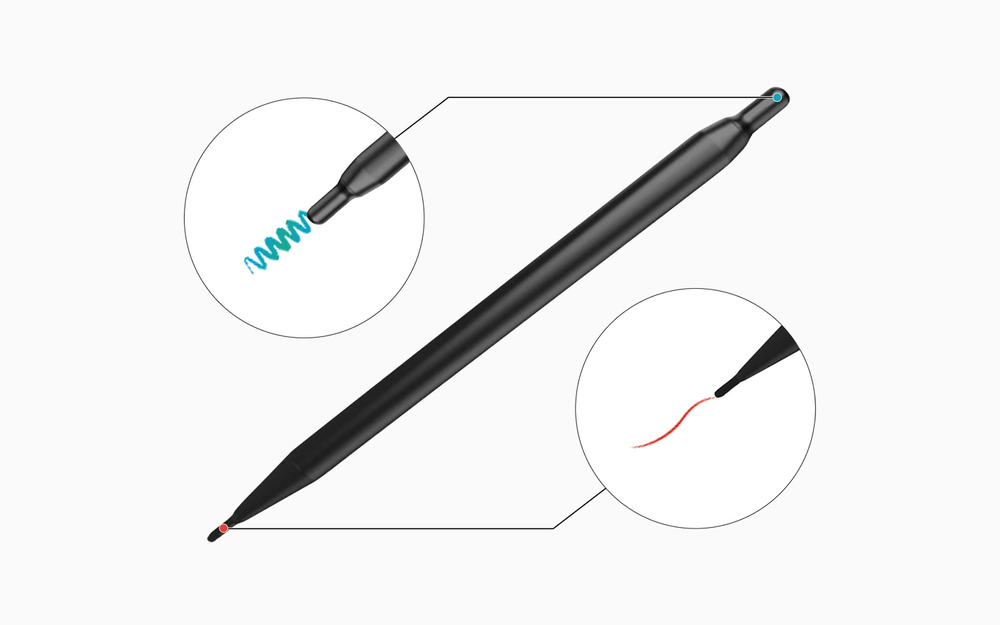
Switch pens without changing settings

Switch pens without changing settings

Dual PenThe dual pen function enables the use of two different writing tools with no downtime. With the double-sided nib applied, users can effortlessly switch between two different colors on the front and back side of the pen – without needing to change the settings or interrupt the flow of the lesson.

Front panel controls for intuitive navigation
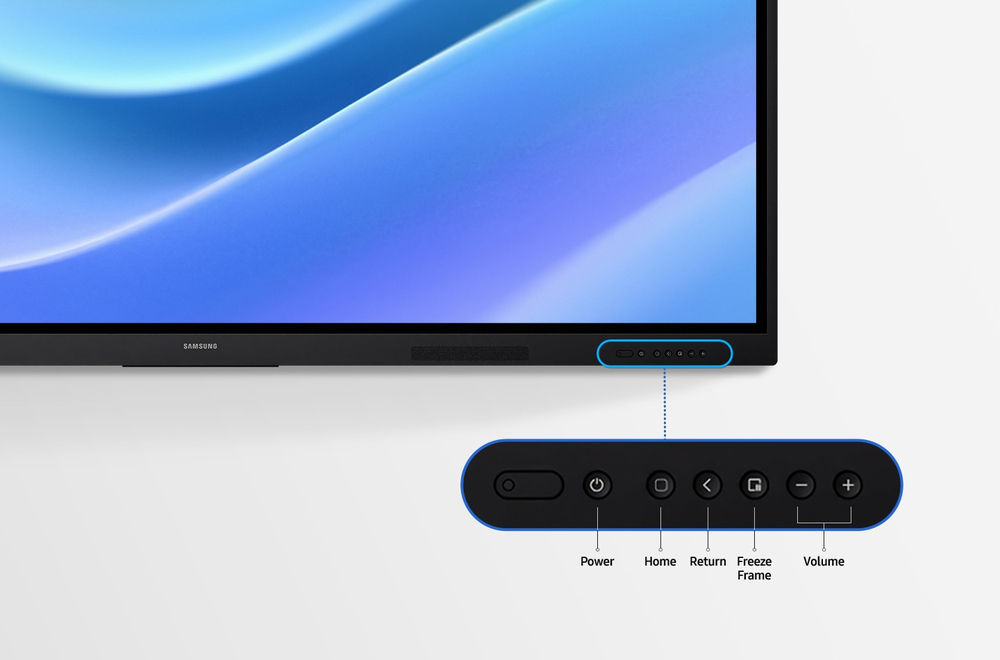
Quick Access ControlsThe WAF includes front-facing physical controls for quick access to frequently used functions. These intuitive controls allow users to operate the interactive display more efficiently, enhancing the overall user experience.
Front panel controls for intuitive navigation
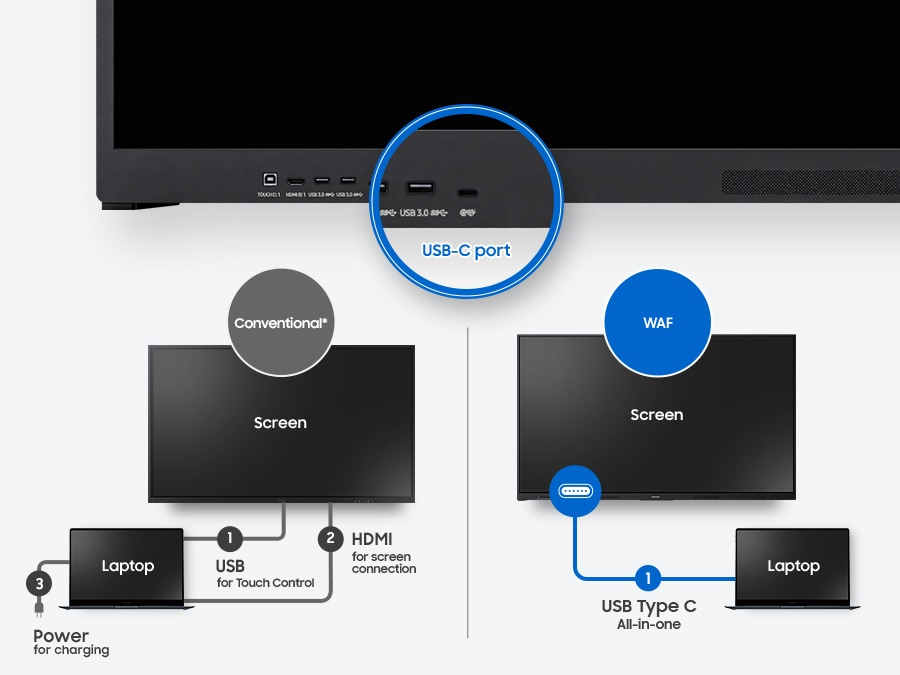
Convenient connectivity with USB-C

Convenient connectivity with USB-C

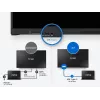
3-in-1 USB-C portConnectivity is enhanced with the 3-in-1 USB-C port, enabling screen mirroring, touch control and external device charging (max. 65W). Teachers can simply connect to the USB Type-C port, allowing them to deliver interactive and engaging lessons without any hassle.

Accessible content for any class size
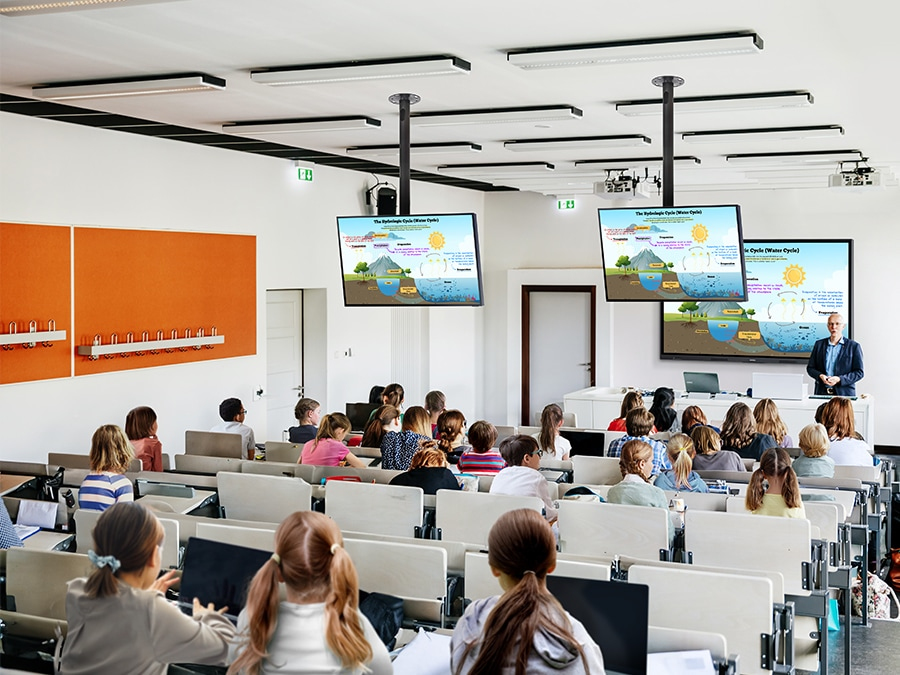
HDMI outWith the HDMI Out function, whiteboard screen content can be shared on a different and larger screen in the classroom. This feature ensures teachers can provide a real-time, interactive experience for students who can easily view the screen content regardless of where they sit in the classroom.
Accessible content for any class size
Use your favorite OS for the learning

Use your favorite OS for the learning

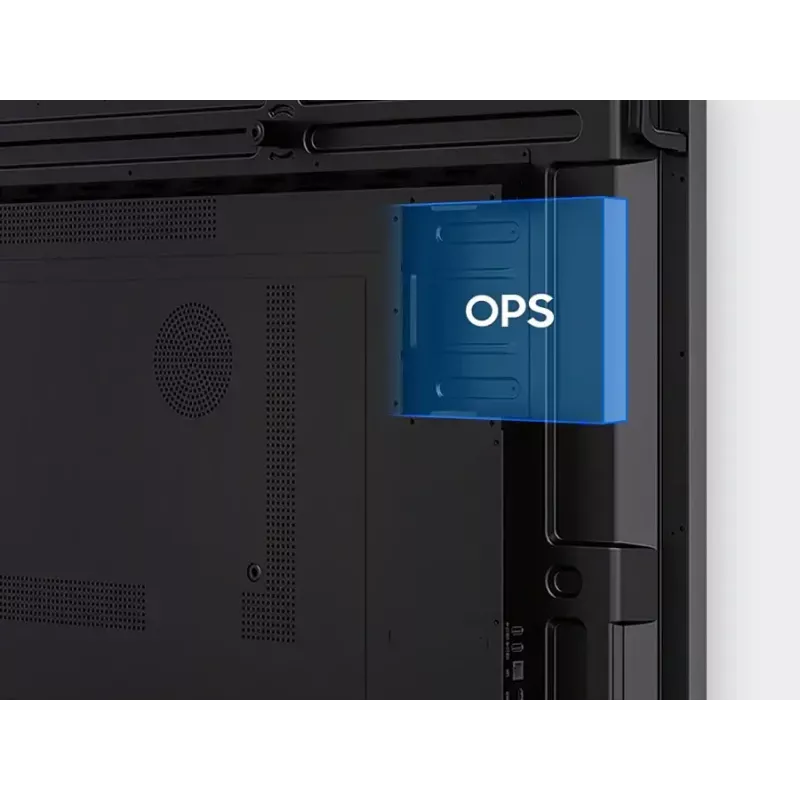
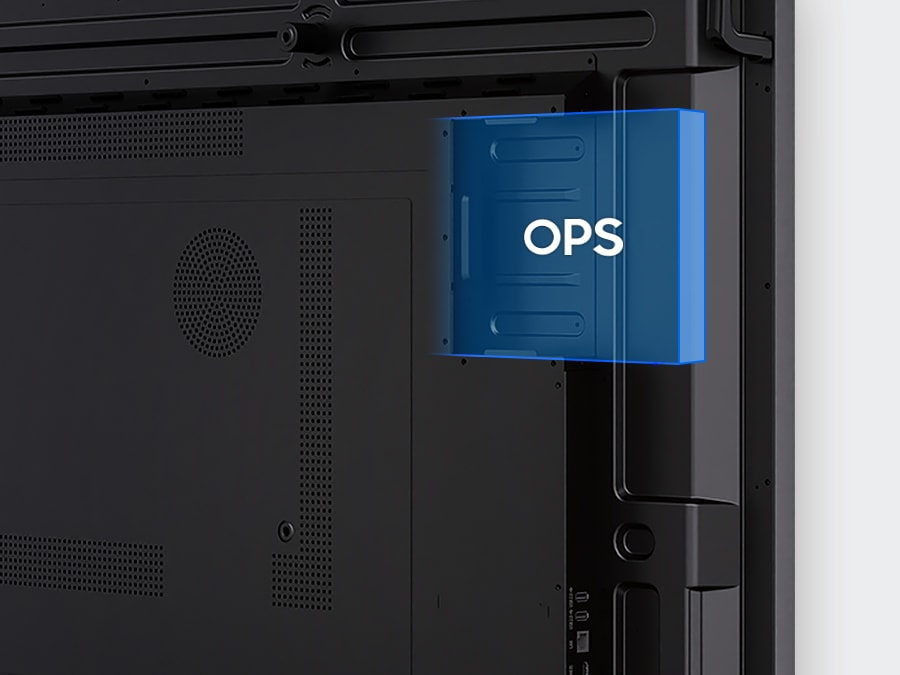
OPS (Open Pluggable Specification)The OPS slot in the WAF series can transform the interactive display into a Windows device, eliminating the need for an extra PC or devices. Users will have access to all the features and functionalities they are familiar with from a standard computer, directly on the display.

Seamless management, efficient operations
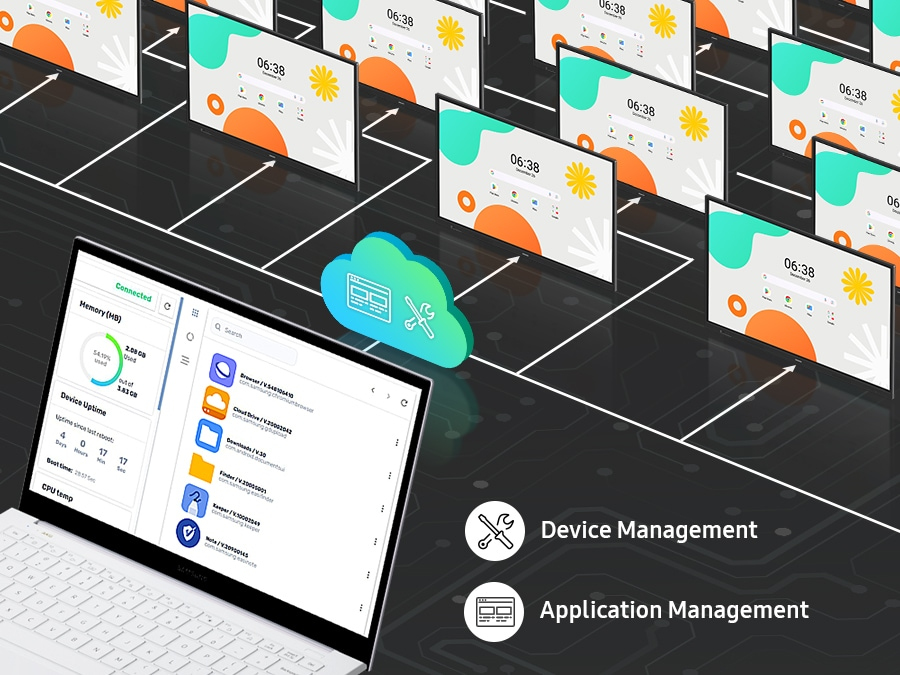
Device Management SolutionThe WAF series provides a device management solution[1] essential for advanced educational environments. This solution optimizes the remote management of whiteboard settings and applications, guaranteeing operational efficiency and stability.
Seamless management, efficient operations
Notify across multiple devices, immediately

Notify across multiple devices, immediately

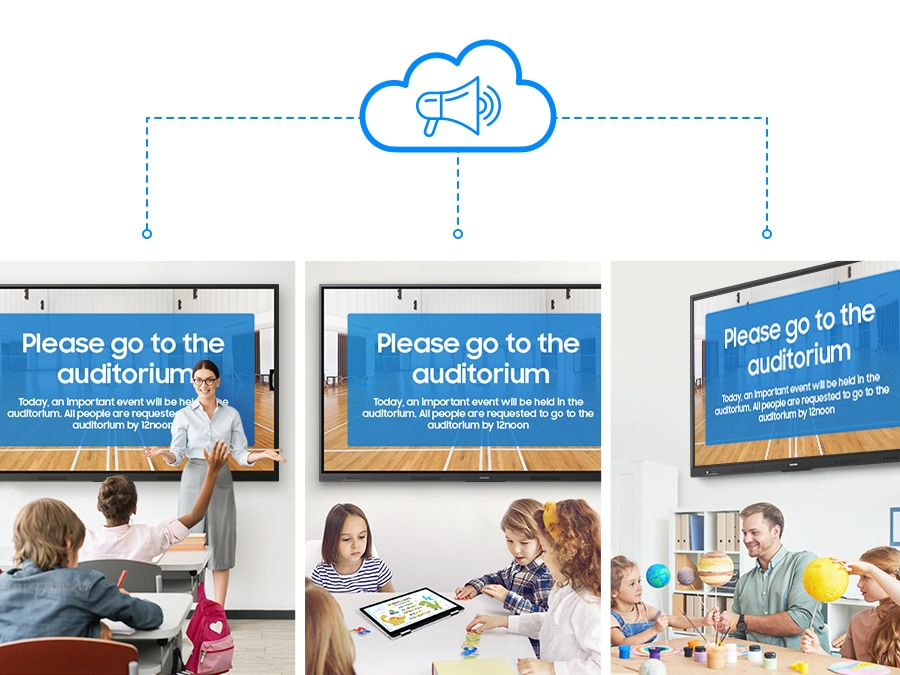
Advanced MessagingSend important messages across campuses, classrooms and public spaces immediately. Urgent communications are displayed on interactive whiteboards so students and other personnel are alerted in real time.

How to use

Turn on the interactive display and sign in to your Google account to access Google Play and other certified services. Use the visible Annotation button to write on any screen immediately; open the Note app to create up to four independent zones for group activities. Employ split-screen or multi-window modes to present different materials simultaneously. For wireless sharing, enable screen mirroring on student devices and connect up to nine sources. Use the dual pen to switch colors by flipping the nib, and operate common functions with the front quick-access buttons. Connect laptops or devices via the 3-in-1 USB-C port for mirroring, touch control and charging, or use HDMI Out to broadcast the whiteboard to a larger display. Insert an OPS module if you need a Windows environment and manage multiple displays remotely through the device management solution. Use Advanced Messaging to send urgent notices to all connected interactive boards.

Recommendations

For optimal classroom performance, keep the display firmware and installed apps updated, use the device management solution to apply consistent settings across units, and pair the WAF series with compatible USB-C or OPS modules when specific OS environments or higher charging power are required.

Tärkeimmät ominaisuudet
  • Operating system: Android
  • EDLA certification: supports Google services (Google Play, YouTube, Google Classroom)
  • Annotation: always-visible Annotation button for instant notes
  • Note zones: Split Note Mode — up to 4 independent zones
  • Multitasking: split-screen and multi-window support
  • Screen sharing: up to 9 devices; compatible with iOS, Mac, Windows, Android
  • Multi-touch: up to 40 simultaneous touchpoints
  • Pen: Dual Pen with double-sided nib for two colors without settings change
  • Controls: front-facing quick access physical buttons
  • USB-C: 3-in-1 port (screen mirroring, touch control, charging max 65W)
  • HDMI Out: share whiteboard content to an external display
  • OPS slot: supports Windows via Open Pluggable Specification
  • Device management: remote management solution for settings and apps
  • Messaging: advanced messaging to notify multiple displays in real time

Tekniset tiedot

Tekniset tiedot
AC-tulojännite
100-240 V
AC-tulotaajuus
50/60 Hz
Asennettu käyttöjärjestelmä
Android
Bluetooth
Yes
Ethernet LAN
Yes
Ethernet LAN (RJ-45) -liitännät
1
Haze-arvo
25%
HD-tyyppi
4K Ultra HD
HDCP
Yes
HDCP-versio
2.1
HDMI-liitäntöjen määrä
2
HDMI-versio
2.1
Katselukulma, pysty
178°
Katselukulma, vaaka
178°
Kaukosäädin mukana
Yes
Käytön suhteellinen ilmankosteus (H-H)
10 - 80%
Käyttäjän muisti
64 GB
Käyttöjärjestelmän versio
14
Käyttölämpötila (T-T)
0 - 40 °C
Käyttötunnit (tuntia/vrk)
12/7
Kontrastisuhde (tyypillinen)
1200:1
Korkeus
1170 mm
Kosketusnäytön tyyppi
Infrared
Kosketusnäyttö
Yes
Kuulokeliitäntä
3.5 mm
Kynä mukana
Yes
Leveys
1961.8 mm
Line-in
Yes
Line-out
Yes
Näytön kirkkaus
400 cd/m²
Näytön koko
2.18 m (86")
Näytön resoluutio
3840 x 2160 pixels
Nopein Wi-Fi-standardi
Wi-Fi 5 (802.11ac)
Paino
62.5 kg
Pakkauksen korkeus
1265 mm
Pakkauksen leveys
2095 mm
Pakkauksen paino
74.1 kg
Pakkauksen syvyys
185 mm
Paneelin kiinnitysliitäntä
800 x 600 mm
Paneelin tyyppi
IPS
Pikselitaajuus (maks.)
78 MHz
Pikseliväli
493.5 x 493.5 mm
RS-232-liitännät
1
Sertifiointi
IEC62368-1 / UL62368-1 / IEC60950-1 / IS13252
Syvyys
87.7 mm
Tuotteen väri
Black
USB 2.0 -liitäntöjen määrä
2
USB 3.2 Gen 1 (3.1 Gen 1) Type-A -liitäntöjen määrä
2
USB Type-C -liitäntöjen määrä
1
Vaatimustenmukaisuustodistukset
Federal Communications Commission (FCC)
Väriavaruus
72%
Vasteaika
8 ms
VESA-kiinnitys
Yes
Videolähtö
Yes
Virrankulutus (lepotila)
0.5 W
Virrankulutus (tyypillinen)
493 W
Virrankulutus (valmiustila)
0.5 W
Wi-Fi
Yes
Wi-Fi-standardit
Wi-Fi 5 (802.11ac)
Hintahistoria viimeisen 6 kuukauden ajalta
Samsung LH86WAFWLGCXEN -monitori 86 inch kosketusnäyttö 3840 x 2160
Nykyinen
1 932,87 €
Alin
1 714,58 €
Ylin
2 272,80 €
Muutos 24 h
0,00 €   0%
Viikko
-265,56 €   -12%
Kuukausi
-121,07 €   -6%

Kirjoita arvostelu

Arvosana *
Nimesi näytetään julkisesti – voit käyttää nimimerkkiä. Kutsumme ostajia kirjoittamaan arvosteluja; tarkistamme arvostelut ennen julkaisua ja julkaisemme myös kriittiset.

Lisää SAMSUNG-tuotteita tässä kategoriassa

3

Suositut tuotteet tässä kategoriassa

6
Myyjä: UAB KUR LT · Laisvės pr. 125A, LT-06118 Vilna, Liettua · Yritystunnus 303192950 · ALV-numero LT100008198612 · Toimitus EU:sta (Liettua)
WhatsApp
Messenger
Hei, olen DistriNoden tekoälyavustaja. Autan sinua löytämään tuotteita, vertailemaan vaihtoehtoja, laatimaan tarjouksia PDF-muodossa tai tekemään tukipyyntöjä.
Kaikki kategoriat