Tili Ota yhteyttä
Ostoskorisi
Toimitus DPD & FedEx
Tarvitsetko apua? Kysy AI:lta

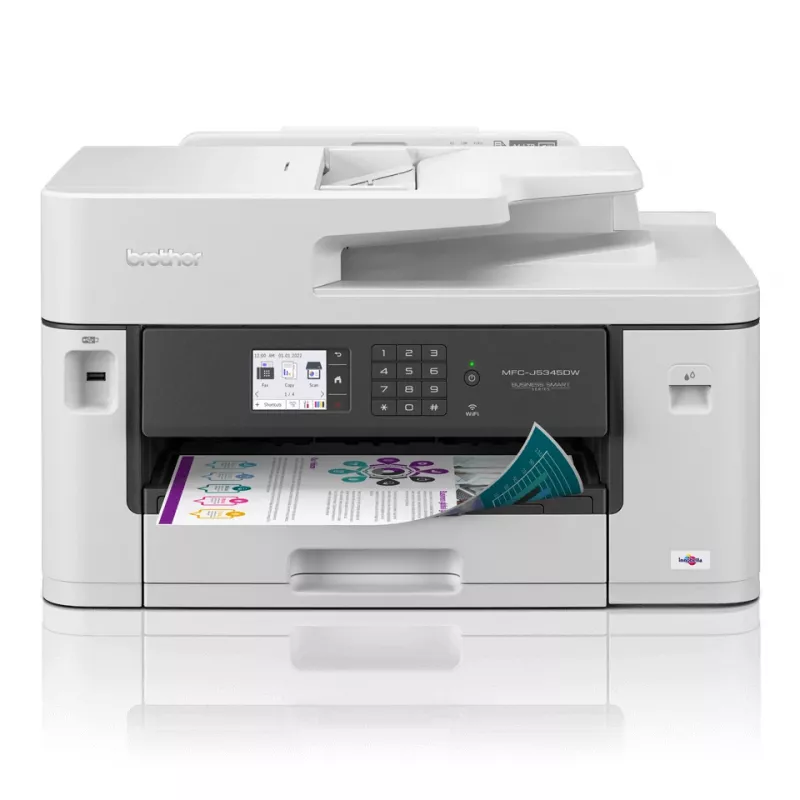
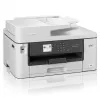
Brother MFC-J5345DW monitoimitulostin mustesuihku A3 4800 x 1200 DPI 28 ppm Wi-Fi

Brother MFC-J5345DW monitoimitulostin mustesuihku A3 4800 x 1200 DPI 28 ppm Wi-Fi
308,42 €
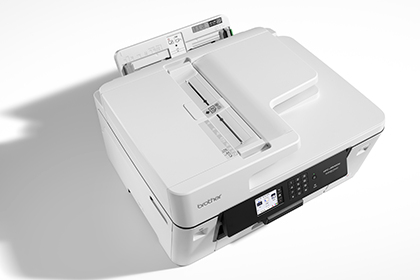
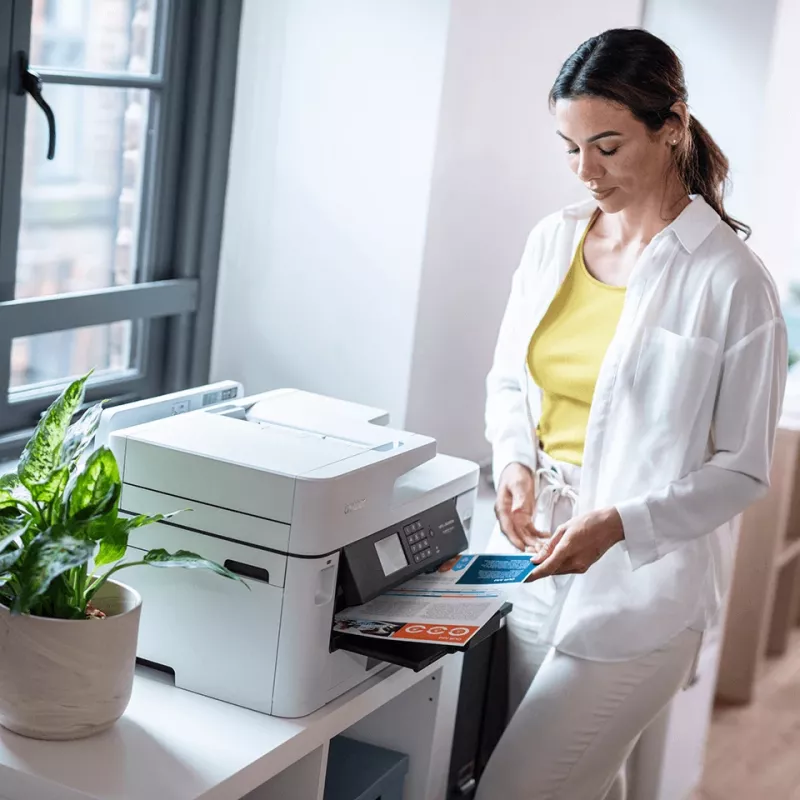
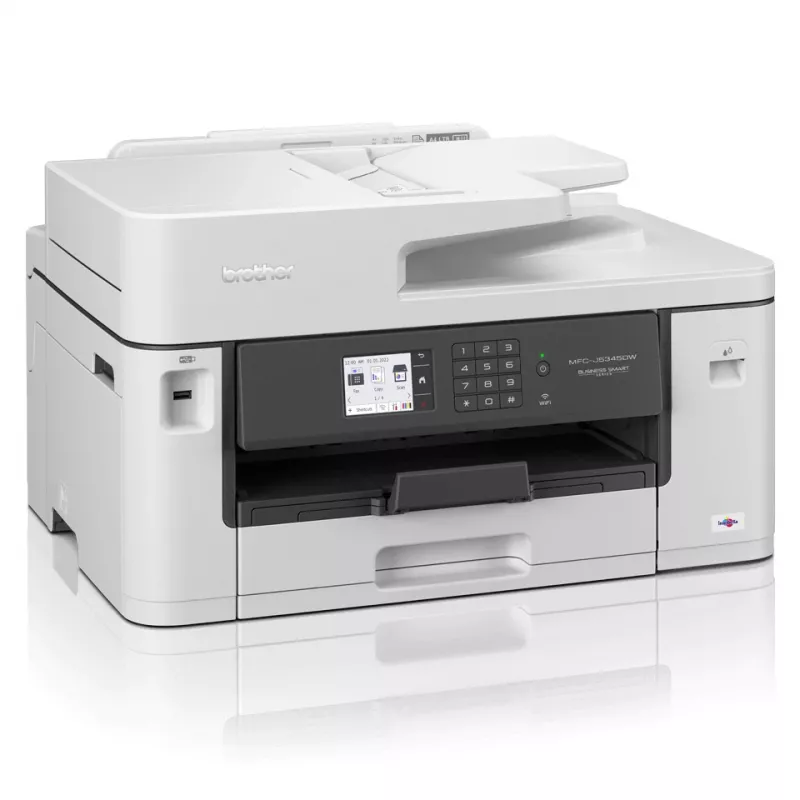
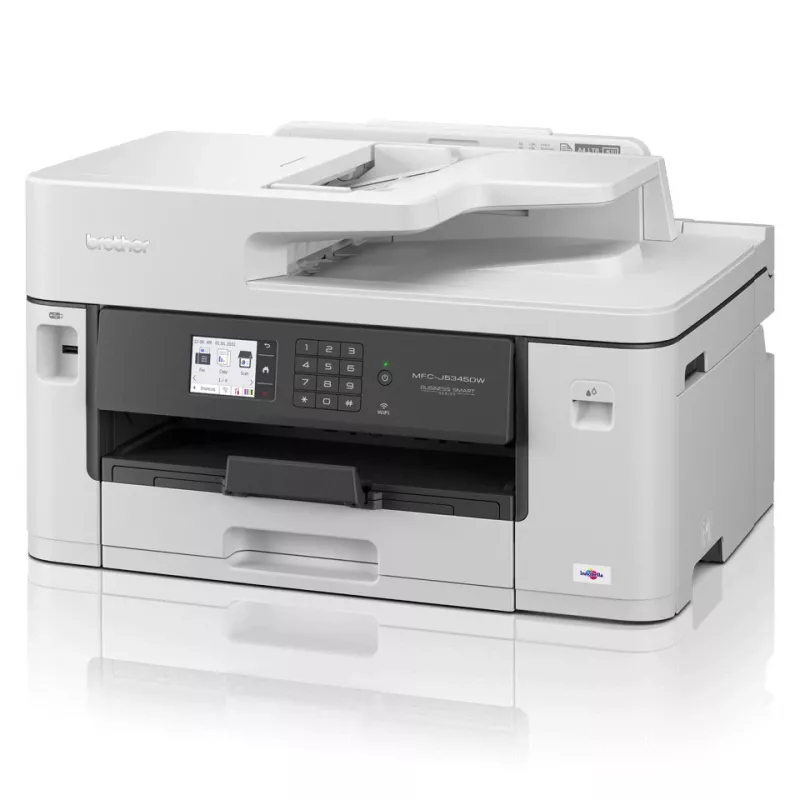
The Brother MFC-J5345DW Inkjet Printer Color is a 4-in-1 multifunction device combining printing, scanning, copying and faxing in a compact footprint suited for home office and small business environments. It supports A3-size media, automatic duplex printing and an automatic document feeder (ADF) to... Lue lisää
Varasto 31 Tuotekoodi 118597 Merkki BROTHER Malli MFC-J5345DW Takuu 2 vuotta

Toimitus ja palautukset

Arvioitu toimitusaika tiistai 27. lokakuuta
Saat päivitykset yksityiskohtaisen seurantajärjestelmän kautta
Maksuvaihtoehdot
MaksukorttiVisaMastercardPayPalApple PayGoogle PayTilisiirto

The Brother MFC-J5345DW Inkjet Printer Color is a 4-in-1 multifunction device combining printing, scanning, copying and faxing in a compact footprint suited for home office and small business environments. It supports A3-size media, automatic duplex printing and an automatic document feeder (ADF) to streamline handling of multi-page documents. Connectivity options include wired Ethernet and wireless LAN, enabling network sharing and mobile printing from smartphones or tablets. The inkjet engine produces colour output with a maximum resolution of 4800 x 1200 dpi and a rated black print speed of up to 28 pages per minute under normal quality settings.

Advantages

The device delivers colour printing, copying and scanning with optical and maximum resolutions up to 2400 x 1200 (scanning and copying) and 4800 x 1200 for print, supporting detailed colour documents and graphics. Built-in Wi‑Fi and Ethernet LAN provide flexible placement and simple integration into existing networks. Automatic duplex printing reduces paper use for two-sided documents, while the ADF accelerates multi-page scanning and copying tasks. The overall design balances functionality and a modest weight profile to fit typical office furniture and workspaces.

Suitable for

  • Home offices and small business environments requiring colour A3-capable printing
  • Workflows that need automatic duplex printing and multi-page scanning/copying
  • Users who require networked access via Wi‑Fi or Ethernet and mobile printing support
  • Occasional faxing alongside regular print/scan/copy tasks

Key specifications

  • Print technology: Inkjet
  • Printing: Colour printing, maximum resolution 4800 x 1200 dpi
  • Print speed (black, normal quality, A4/US Letter): up to 28 ppm
  • Copying: Colour copying, maximum copy resolution 2400 x 1200 dpi
  • Scanning: Colour scanning, optical scanning resolution 2400 x 1200 dpi
  • Maximum paper size: A3
  • Duplex: Automatic two-sided printing
  • Connectivity: Wi‑Fi (wireless LAN) and Ethernet LAN
  • Automatic document feeder: Yes
  • Product colour: Black and White options
  • Weight: 19.2 kg
  • Recommended monthly duty: up to 250 pages per month

How to use

Place the MFC-J5345DW on a stable surface with adequate ventilation and connect it to power. Install the provided ink cartridges and load paper into the main tray, selecting the appropriate paper size in the tray adjustment. For networked use, connect via Ethernet cable or configure the wireless LAN through the control panel or the setup software on a connected computer or mobile device. Use the ADF for multi-page originals and choose automatic duplex when two-sided output is required. Access device settings, driver installation and scanning utilities from the Brother software package or via standard network printing protocols.

Recommendations

For reliable operation, use paper types and sizes supported by the device and replace consumables with manufacturer-recommended inks. Perform routine cleaning and firmware updates as provided by Brother to maintain print quality. If printing volume approaches the recommended monthly duty, consider schedule-based maintenance and regular inspection of paper paths to prevent jams.
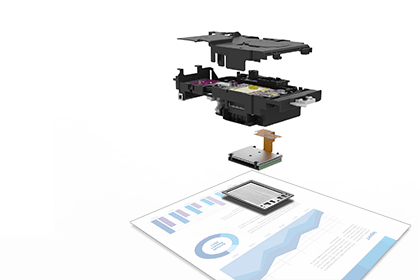
Increase your print speed, with the new Brother MAXIDRIVE print technology

Increase your print speed, with the new Brother MAXIDRIVE print technology

The newly developed high power print head enables a dramatic improvement in print speed, saving you time when printing your business documents. Not only is speed improved, but this new print head is highly durable and produces high print quality, delivering professional results to your outputs.

Built to last

You need a device you can rely on. These A3 professional multifunction devices have been engineered into robust business devices, delivering fast, secure and professional quality to suit the growing needs of your business.
Built to last
Scanning technology to improve work flow, even when working remotely

Scanning technology to improve work flow, even when working remotely

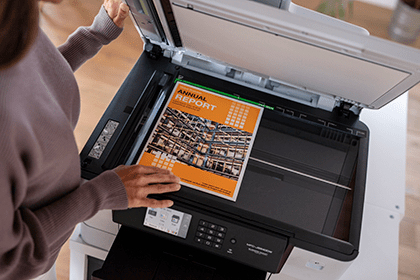
As a multifunction device the MFC-J5345DW can do so much more than print. The scanning opportunities can significantly enhance your productivity from home. You can scan in colour or mono at high speeds to several destinations to boost workflow:ImageFileOCREmail

Print bigger

Make your documents more memorable by printing them in A3 size. With full colour A3 print capabilities, your important training materials or presentation documents will stand out and be easier to digest. By printing A3 documents in house you have more control over your deadlines and can expand your opportunities.
Print bigger
Work connected, always

Work connected, always

You don’t just need to be sat at your desk, or even near the printer to use the MFC-J5345DW. With the range of connectivity options available, you can print anywhere in your office / home – and even from your mobile phone through wireless connectivity.By downloading the Brother Mobile Connect app you can access an array of features – from sending print jobs, to checking your ink levels and ordering replacements when necessary.
Tärkeimmät ominaisuudet
  • Print (up to A3), copy, scan and fax functionality
  • Print speeds of up to 28 ipm mono and colour (Based on ISO/IEC 24734)
  • Automatic A4 2-sided print
  • Wired and wireless connectivity / Mobile compatible – download app: Brother Mobile Connect
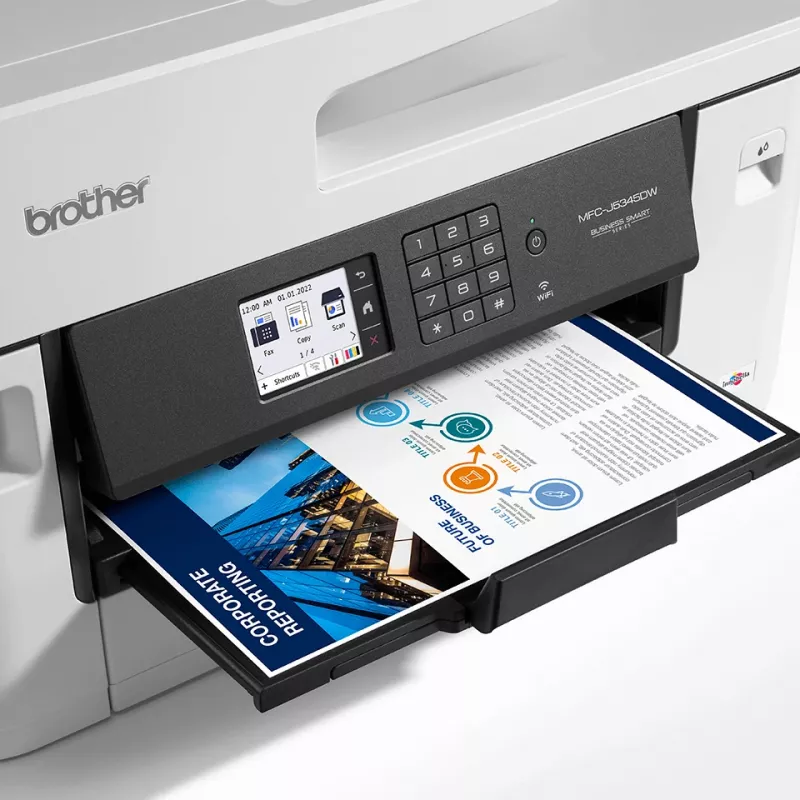
  • 6.8cm colour LCD touch screen
  • 250 sheet paper capacity / 50 sheet ADF / manual feed slot
  • Business Inkjet Colour printing
  • 4800 x 1200 DPI
  • Printing colours: Black, Cyan, Magenta, Yellow
  • A3 28 ppm
  • Colour copying Colour scanning Colour faxing
  • Apple AirPrint, Brother iPrint & Scan
  • Direct printing
  • USB port Wi-Fi Ethernet LAN
  • Internal memory: 256 MB
  • 17.2 kg
Tekniset tiedot
Alkuperämaa
Philippines
Asiakirjansyöttölaitteen (ADF) kapasiteetti
50 sheets
Automaattinen asiakirjansyöttölaite (ADF)
Yes
Ensimmäisen sivun tulostusaika (musta, normaali)
4.6 s
Ensimmäisen sivun tulostusaika (väri, normaali)
4.6 s
Ethernet LAN
Yes
Ethernet LAN -tiedonsiirtonopeudet
10,100 Mbit/s
Faksaus
Colour faxing
Harmonized System (HS) -koodi
84433100
ISO A -sarjan koot (A0...A9)
A3, A4, A5, A6
Kaapelointitekniikka
10/100Base-T(X)
Kaksipuolinen tulostus
Yes
Kaksipuolisen tulostuksen tila
Auto
Kaksipuolisuustoiminnot
Print
Käytön suhteellinen ilmankosteus (H-H)
20 - 80%
Käyttölämpötila (T-T)
10 - 35 °C
Kerroksia lavalla
4 pc(s)
Kestävyyssertifikaatit
Blue Angel
Kirjekuorikoot
C5, Com-10, DL, Monarch
Kopioinnin enimmäistarkkuus
2400 x 1200 DPI
Kopioinnin skaalaus
25 - 400%
Kopiointi
Colour copying
Korkeus
636 mm
Lavan bruttokorkeus
18.3 cm
Lavan bruttopaino
170.3 kg
Lavan tyyppi
800 x 1200 mm
Leveys
468 mm
Luovutuskapasiteetti yhteensä
100 sheets
Markkina-asemointi
Business
Mobiilitulostustekniikat
Apple AirPrint, Brother iPrint & Scan
Modeemin nopeus
14400 Kbit/s
Muut kuin ISO-paperikoot
Index card
N-in-1-kopiointitoiminto
Yes
Näytön koko
6.78 cm (2.67")
Näyttö
LCD
Ohjaustyyppi
Touch
Optinen skannaustarkkuus
2400 x 1200 DPI
Optinen skannaustarkkuus (ADF)
600 x 600 DPI
Optinen skannaustarkkuus (musta)
2400 x 1200 ppi
Optinen skannaustarkkuus (väri)
1200 x 1200 ppi
Paino
17.2 kg
Pakkauksen paino
19 kg
Paperilokeron tulostusmateriaalit
Envelopes, Photo paper, Recycled paper
Sisäänrakennettu näyttö
Yes
Sisäinen muisti
256 MB
Skannaus
Colour scanning
Skannaus kohteeseen
E-mail, E-mail Server, File, Image, Network folder, USB
Skannausnopeus (musta)
25 ppm
Skannausnopeus (väri)
25 ppm
Skannaustekniikka
CIS
Suoratulostus
Yes
Suurin ISO A -sarjan paperikoko
A3
Suurin kuukausittainen tulostusmäärä
250 pages per month
Suurin resoluutio
4800 x 1200 DPI
Syöttökapasiteetti yhteensä
250 sheets
Syöttölokeroiden kokonaismäärä
1
Syvyys
419 mm
Tuetut Linux-käyttöjärjestelmät
Yes
Tuetut Mac-käyttöjärjestelmät
Mac OS X 10.14 Mojave, Mac OS X 10.15 Catalina
Tuetut Windows-käyttöjärjestelmät
Windows 10, Windows 7, Windows 8
Tulostus
Colour printing
Tulostusnopeus (musta, normaali laatu, A4/US Letter)
28 ppm
Tulostusnopeus (väri, normaali laatu, A4/US Letter)
28 ppm
Tulostustekniikka
Inkjet
Tulostusvärit
Black, Cyan, Magenta, Yellow
Tuotteen väri
Black, White
Tuotteita lavalla
8 pc(s)
Turva-algoritmit
64-bit WEP, 128-bit WEP, 802.1x RADIUS, AES, APOP, EAP-FAST, EAP-PEAP, EAP-TLS, EAP-TTLS, HTTPS, IPPS, IPSec, PEAP, SMTP-AUTH, SNMPv3, SSL/TLS, TKIP, WPA-PSK, WPA2-PSK, WPA3-SAE
Ulkopakkauksia lavakerroksessa
2 pc(s)
Ulkopakkauksia lavalla
8 pc(s)
USB-liitäntä
Yes
Varaosien saatavuusaika
5 year(s)
Värikasettien määrä
4
Virrankulutus (keskimääräinen käyttö)
36 W
Virrankulutus (lepotila)
0.9 W
Virrankulutus (pois päältä)
0.03 W
Virrankulutus (valmiustila)
5.5 W
Wi-Fi
Yes
Wi-Fi-standardit
802.11a, 802.11b, 802.11g, Wi-Fi 4 (802.11n)

Käyttöohje

Avaa asiakirja

Asiakirja

Avaa asiakirja
Hintahistoria viimeisen 6 kuukauden ajalta
Brother MFC-J5345DW monitoimitulostin mustesuihku A3 4800 x 1200 DPI 28 ppm Wi-Fi
Nykyinen
308,42 €
Alin
282,49 €
Ylin
308,42 €
Muutos 24 h
+24,12 €   +8%
Viikko
+24,58 €   +9%
Kuukausi
+21,45 €   +7%

Kirjoita arvostelu

Arvosana *
Nimesi näytetään julkisesti – voit käyttää nimimerkkiä. Kutsumme ostajia kirjoittamaan arvosteluja; tarkistamme arvostelut ennen julkaisua ja julkaisemme myös kriittiset.

Suositut tuotteet tässä kategoriassa

Myyjä: UAB KUR LT · Laisvės pr. 125A, LT-06118 Vilna, Liettua · Yritystunnus 303192950 · ALV-numero LT100008198612 · Toimitus EU:sta (Liettua)
Hei, olen DistriNoden tekoälyavustaja. Autan sinua löytämään tuotteita, vertailemaan vaihtoehtoja, laatimaan tarjouksia PDF-muodossa tai tekemään tukipyyntöjä.
Kaikki kategoriat