Tili Ota yhteyttä
Ostoskorisi
Toimitus DPD & FedEx
Tarvitsetko apua? Kysy AI:lta

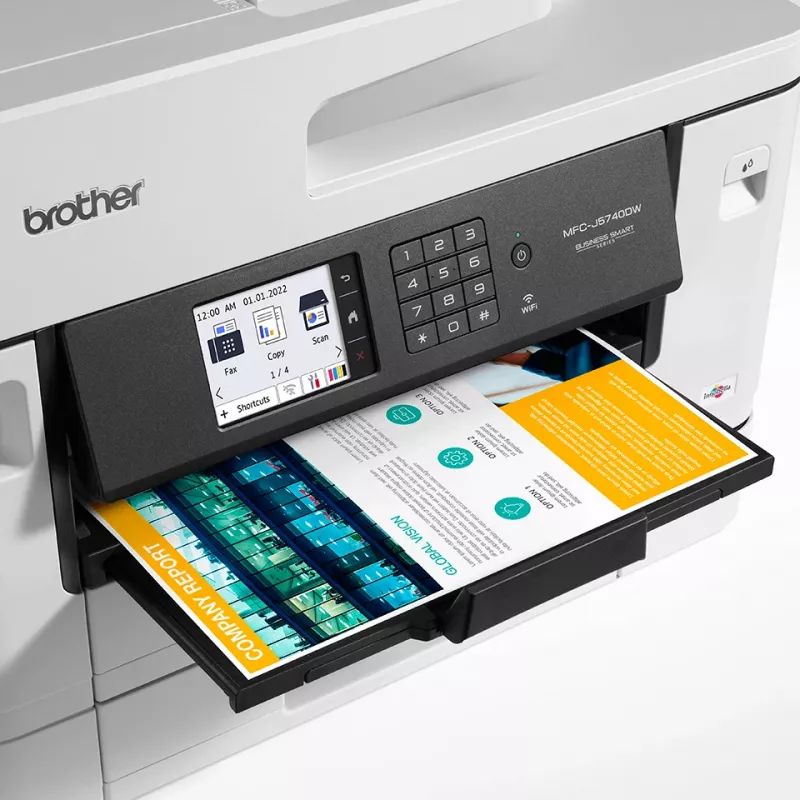
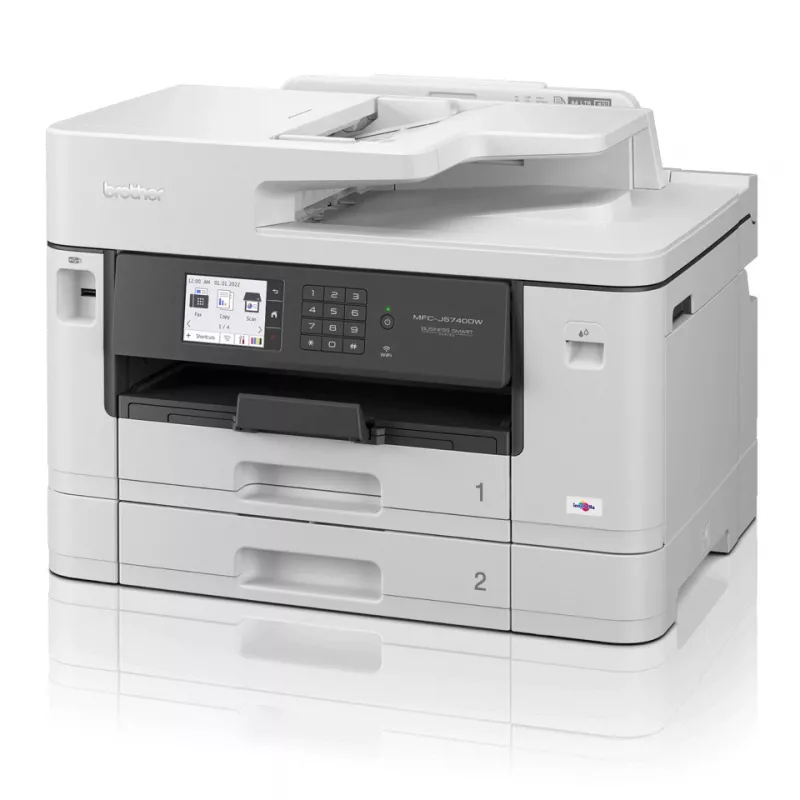
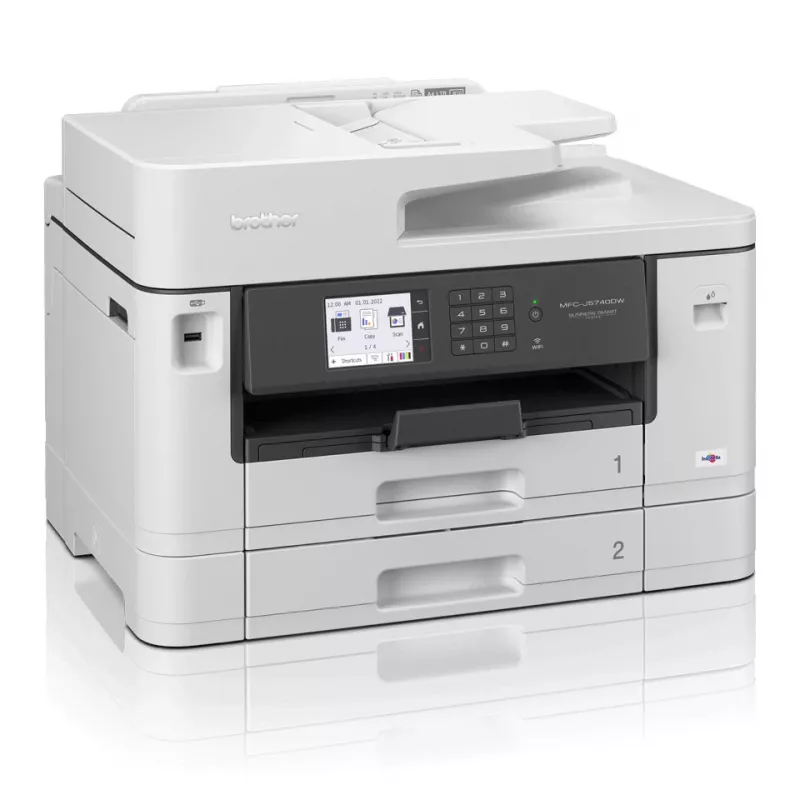
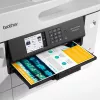
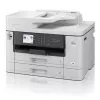
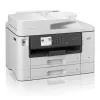
Brother MFC-J5740DW monitoimitulostin mustesuihku A3 1200 x 4800 DPI Wi-Fi

Brother MFC-J5740DW monitoimitulostin mustesuihku A3 1200 x 4800 DPI Wi-Fi
36 kk
Brother MFC-J5740DW monitoimitulostin mustesuihku A3 1200 x 4800 DPI Wi-Fi
362,95 €
The professional A3 MFC-J5740DW all-in-one printer is built to last, meeting the needs of demanding small offices and business workgroups. A3 capability enables you to produce a variety of A3, as well as A4 colour documents, without any hassle, while experiencing high quality prints, fast print spee... Lue lisää
Varasto 39 Tuotekoodi 341798 Merkki BROTHER Malli MFC-J5740DW Takuu 3 vuotta

Toimitus ja palautukset

Arvioitu toimitusaika Maanantai, Lokakuu 26
Saat päivitykset yksityiskohtaisen seurantajärjestelmän kautta
Maksuvaihtoehdot
MaksukorttiVisaMastercardPayPalApple PayGoogle PayTilisiirto
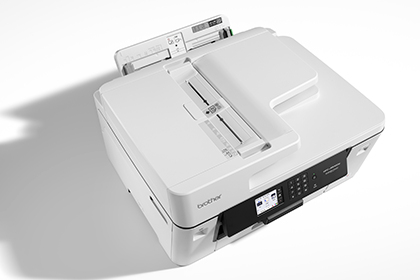
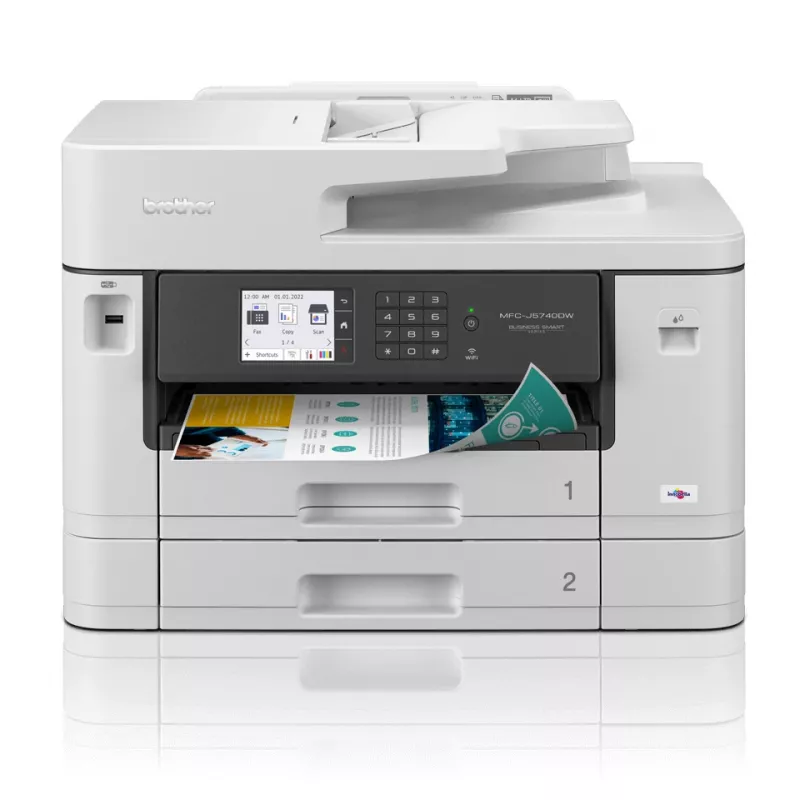
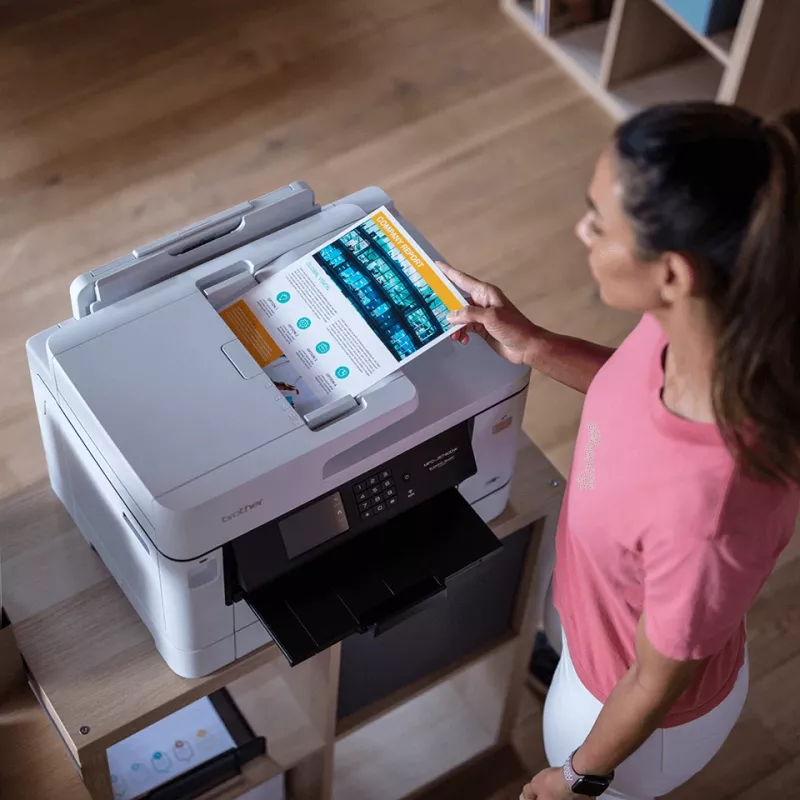
The professional A3 MFC-J5740DW all-in-one printer is built to last, meeting the needs of demanding small offices and business workgroups. A3 capability enables you to produce a variety of A3, as well as A4 colour documents, without any hassle, while experiencing high quality prints, fast print speeds and low running costs. This multifunction device offers print, copy, scan and fax functionality. Print from your workstation, in a meeting room, or from your mobile device with wireless connectivity.
Work connected, always

Work connected, always

You don’t just need to be sat at your desk, or even near the printer to use the MFC-J5740DW. With the range of connectivity options available, you can print anywhere in your office / home – and even from your mobile phone through wireless connectivity.By downloading the Brother Mobile Connect app you can access an array of features – from sending print jobs, to checking your ink levels and ordering replacements when necessary.

Built to last

You need a device you can rely on. These A3 professional multifunction devices have been engineered into robust business devices, delivering fast, secure and professional quality to suit the growing needs of your business.
Built to last
Increase your print speed, with the new Brother MAXIDRIVE print technology

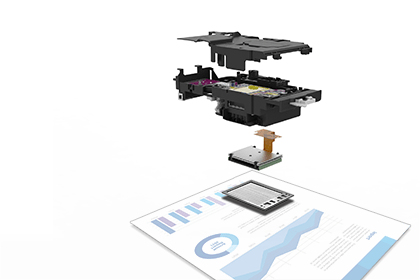
Increase your print speed, with the new Brother MAXIDRIVE print technology

The newly developed high power print head enables a dramatic improvement in print speed, saving you time when printing your business documents. Not only is speed improved, but this new print head is highly durable and produces high print quality, delivering professional results to your outputs.

More capacity, more paper control

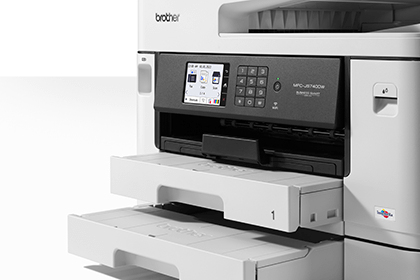
The MFC-J5740DW comes with an extra paper tray – this means the need to frequently replace paper in the device is reduced, when printing in high volume. With this, comes more control over how you use your time to be as productive as possible.
More capacity, more paper control
Print bigger

Print bigger

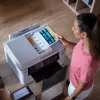
Make your documents more memorable by printing them in A3 size. With full colour A3 print capabilities, your important training materials or presentation documents will stand out and be easier to digest. By printing A3 documents in house you have more control over your deadlines and can expand your opportunities.

Scanning technology to improve work flow, even when working remotely
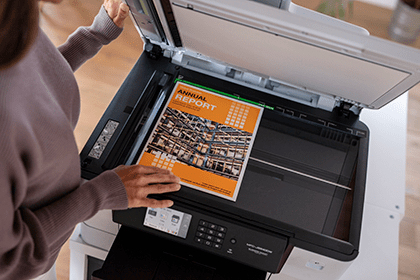
As a multifunction device the MFC-J5740DW can do so much more than print. The scanning opportunities can significantly enhance your productivity from home. You can scan in colour or mono at high speeds to several destinations to boost workflow:ImageFileOCREmail
Scanning technology to improve work flow, even when working remotely

How to use

Install the Brother MFC-J5740DW on a stable surface, connect it to power, and follow the on-screen setup on the 8.8 cm colour touchscreen to configure language, network (Wi‑Fi or Ethernet) and paper settings. Load paper into the A3 trays or the multipurpose tray according to the tray guides. Use the touchscreen or installed printer drivers on your computer or mobile device to send print, scan or copy jobs. For two-sided A4 jobs enable the duplex option in the driver or on the device menu.

Recommendations

For reliable long-term performance in small office environments, use paper within the manufacturer’s specified weight range for A3 media, perform periodic firmware updates via the Brother support site, and replace consumables according to status notifications to maintain print quality and avoid interruptions.

Tärkeimmät ominaisuudet
  • Print (up to A3), copy, scan & fax functionality
  • Print speeds of up to 28 ipm mono & colour (Based on ISO/IEC 24734)
  • Automatic A4 2-sided print / scan
  • Wired and wireless connectivity / Mobile compatible – download app: Brother Mobile Connect
  • 8.8cm colour LCD touch screen
  • 250 sheet standard paper tray, plus additional 250 lower tray / 100 sheet multi purpose tray / 50 sheet ADF
  • Home & office Inkjet Colour printing
  • 1200 x 4800 DPI
  • Printing colours: Black, Cyan, Magenta, Yellow
  • A3
  • Colour copying Colour scanning
  • Apple AirPrint, Mopria Print Service
  • Direct printing
  • USB port Wi-Fi Ethernet LAN
  • Internal memory: 256 MB
  • 20.7 kg
Tekniset tiedot
Alkuperämaa
Philippines
Energy Star -tyypillinen sähkönkulutus (TEC)
0.17 kWh/week
Ethernet LAN
Yes
Ethernet LAN -tiedonsiirtonopeudet
10,100 Mbit/s
Harmonized System (HS) -koodi
84433100
ISO A -sarjan koot (A0...A9)
A3, A4, A5, A6
Kaapelointitekniikka
10/100Base-T(X)
Kaksipuolinen faksaus
Yes
Kaksipuolinen kopiointi
Yes
Kaksipuolinen skannaus
Yes
Kaksipuolinen tulostus
Yes
Kaksipuolisen tulostuksen tila
Auto
Kaksipuolisuustoiminnot
Copy, Fax, Print, Scan
Käytön suhteellinen ilmankosteus (H-H)
20 - 80%
Käyttölämpötila (T-T)
10 - 35 °C
Kerroksia lavalla
3 pc(s)
Kirjekuorikoot
Com-10, Monarch
Kopioinnin enimmäistarkkuus
600 x 600 DPI
Kopioinnin skaalaus
25 - 400%
Kopiointi
Colour copying
Korkeus
636 mm
Lähitiedonsiirto (NFC)
No
Lavan bruttokorkeus
16.2 cm
Lavan bruttopaino
156.6 kg
Lavan tyyppi
800 x 1200 mm
Leveys
468 mm
Luovutuskapasiteetti yhteensä
100 sheets
Markkina-asemointi
Home & office
Mobiilitulostustekniikat
Apple AirPrint, Mopria Print Service
Modeemin nopeus
33.6 Kbit/s
Monikäyttölokero
Yes
Monikäyttölokeron syöttökapasiteetti
100 sheets
Muut kuin ISO-paperikoot
Index card, Legal, Letter
Näytön koko
8.81 cm (3.47")
Ohjaustyyppi
Touch
Optinen skannaustarkkuus
600 x 600 DPI
Paino
20.7 kg
Pakkauksen paino
23 kg
Paperilokeron materiaalin paino
64 - 220 g/m²
Paperilokeron tulostusmateriaalit
Envelopes, Photo paper, Plain paper, Recycled paper
Sisäänrakennettu näyttö
Yes
Sisäinen muisti
256 MB
Skannaus
Colour scanning
Skannaus kohteeseen
E-mail, E-mail Server, FTP, Image, Network folder
Skannaustekniikka
CIS
Skannerin tyyppi
Flatbed scanner
Suoratulostus
Yes
Suurin ISO A -sarjan paperikoko
A3
Suurin kuukausittainen tulostusmäärä
2500 pages per month
Suurin resoluutio
1200 x 4800 DPI
Syöttökapasiteetti yhteensä
250 sheets
Syvyys
489 mm
Tuetut asiakirjamuodot
PDF
Tuetut Mac-käyttöjärjestelmät
Mac OS X 10.15 Catalina, Mac OS X 10.15.3 Catalina, Mac OS X 10.7 Lion
Tuetut palvelinkäyttöjärjestelmät
Windows Server 2008, Windows Server 2008 R2, Windows Server 2012, Windows Server 2012 R2, Windows Server 2016
Tuetut Windows-käyttöjärjestelmät
Windows 10, Windows 7, Windows 8
Tulostus
Colour printing
Tulostusnopeus (ISO/IEC 24734) musta
28 ipm
Tulostusnopeus (ISO/IEC 24734) väri
28 ipm
Tulostustekniikka
Inkjet
Tulostusvärit
Black, Cyan, Magenta, Yellow
Tuotteen väri
White
Tuotteita lavalla
6 pc(s)
Ulkopakkauksia lavakerroksessa
2 pc(s)
Ulkopakkauksia lavalla
6 pc(s)
USB 2.0 -liitäntöjen määrä
1
USB-liitäntä
Yes
Valokuvapaperin koot
9x13,10x15,13x18
Varaosien saatavuusaika
5 year(s)
Värinäyttö
Yes
Virrankulutus (käyttövalmis)
5.5 W
Virrankulutus (kopiointi)
36 W
Virrankulutus (lepotila)
0.9 W
Virrankulutus (pois päältä)
0.03 W
Wi-Fi
Yes
Wi-Fi-standardit
802.11a, 802.11b, 802.11g, Wi-Fi 4 (802.11n)

Käyttöohje

Avaa asiakirja

Asiakirja

Avaa asiakirja
Hintahistoria viimeisen 6 kuukauden ajalta
Brother MFC-J5740DW monitoimitulostin mustesuihku A3 1200 x 4800 DPI Wi-Fi
Nykyinen
362,95 €
Alin
355,83 €
Ylin
362,95 €
Muutos 24 h
+6,77 €   +2%
Viikko
+2,52 €   +1%
Kuukausi
+2,39 €   +1%

Suositut tuotteet tässä kategoriassa

Myyjä: UAB KUR LT · Laisvės pr. 125A, LT-06118 Vilna, Liettua · Yritystunnus 303192950 · ALV-numero LT100008198612 · Toimitus EU:sta (Liettua)
Messenger
Hei, olen DistriNoden tekoälyavustaja. Autan sinua löytämään tuotteita, vertailemaan vaihtoehtoja, laatimaan tarjouksia PDF-muodossa tai tekemään tukipyyntöjä.