
Tili Ota yhteyttä
Ostoskorisi
Toimitus DPD & FedEx
Tarvitsetko apua? Kysy AI:lta

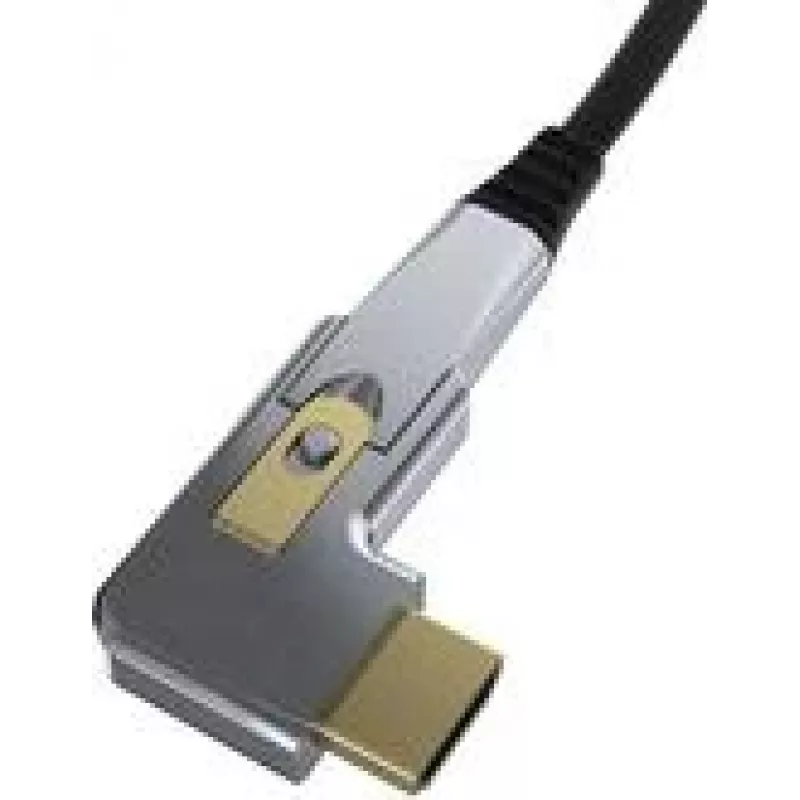
HDMI - DisplayPort aktiivinen optinen adapteri Kindermann 4956000 — 20 m kaapelin pituus

HDMI - DisplayPort aktiivinen optinen adapteri Kindermann 4956000 — 20 m kaapelin pituus
39,87 €
The Kindermann HDMI to DisplayPort Active Optical Adapter (20 m) converts an HDMI source signal into a DisplayPort output using an active optical cable designed for long-distance digital video transmission. This adapter accommodates installations where copper HDMI or DisplayPort cables cannot reliab... Lue lisää
Varasto 782 Tuotekoodi 1490142 Merkki KINDERMANN Malli 4956000 Takuu 2 vuotta

Toimitus ja palautukset

Arvioitu toimitusaika Torstai, Lokakuu 29
Saat päivitykset yksityiskohtaisen seurantajärjestelmän kautta
Maksuvaihtoehdot
MaksukorttiVisaMastercardPayPalApple PayGoogle PayTilisiirto

The Kindermann HDMI to DisplayPort Active Optical Adapter (20 m) converts an HDMI source signal into a DisplayPort output using an active optical cable designed for long-distance digital video transmission. This adapter accommodates installations where copper HDMI or DisplayPort cables cannot reliably maintain signal integrity over longer runs. The integrated optical cable provides stable connectivity with reduced signal attenuation and is suitable for permanent AV installations, meeting-room setups and digital signage applications.

Advantages

The active optical design minimizes signal loss and electromagnetic interference compared with long copper runs, enabling clean transmission of high-resolution video across a 20 m distance. The adapter supports a plug-and-play workflow without the need for external power supplies in typical setups and keeps connector compatibility between HDMI sources and DisplayPort displays. Its compact inline module simplifies installation and reduces cable clutter in professional AV environments.

Suitable for

Key specifications

How to use

Connect the HDMI end of the adapter to the HDMI output of your source device and plug the DisplayPort end into the display or projector. Power requirements are typically met through the connected HDMI source; verify source compatibility if external power is needed. After connections are made, select the appropriate input on the display; most systems will detect the signal automatically. Route the optical cable along the installation path, avoiding sharp bends to preserve the integrity of the fiber.

Recommendations

For reliable operation, avoid tight bends and excessive tension on the optical cable, keep connectors free of dust and ensure the source device supports HDMI output modes compatible with the target DisplayPort display. For installations with wall boxes or conduits, verify bend radius requirements and allow service loops for maintenance access.

Tärkeimmät ominaisuudet
  • Conference rooms and lecture halls
  • Classrooms and training facilities
  • Digital signage and retail displays
  • AV racks and fixed installations where long runs are required
  • Cable length: 20 m optical cable
  • Conversion direction: HDMI (source) to DisplayPort (display)
  • Signal medium: active optical transmission
  • Connector types: HDMI male input, DisplayPort male output
  • Video support: high-resolution digital video suitable for typical AV use (refer to device compatibility for exact resolutions and refresh rates)
  • Typical installation: fixed or semi-permanent AV installations
Hintahistoria viimeisen 6 kuukauden ajalta
HDMI - DisplayPort aktiivinen optinen adapteri Kindermann 4956000 — 20 m kaapelin pituus
Nykyinen
39,87 €
Alin
39,38 €
Ylin
58,61 €
Muutos 24 h
+0,41 €   +1%
Viikko
+0,20 €   +1%
Kuukausi
-0,02 €   0%

Suositut tuotteet tässä kategoriassa

Myyjä: UAB KUR LT · Laisvės pr. 125A, LT-06118 Vilna, Liettua · Yritystunnus 303192950 · ALV-numero LT100008198612 · Toimitus EU:sta (Liettua)
Hei, olen DistriNoden tekoälyavustaja. Autan sinua löytämään tuotteita, vertailemaan vaihtoehtoja, laatimaan tarjouksia PDF-muodossa tai tekemään tukipyyntöjä.