Tili Ota yhteyttä
Ostoskorisi
Toimitus DPD & FedEx
Tarvitsetko apua? Kysy AI:lta

Canon PIXMA G3590 mustesuihkutulostin A4 4800 x 1200 DPI WLAN

Canon PIXMA G3590 mustesuihkutulostin A4 4800 x 1200 DPI WLAN
383,42 €
Canon PIXMA G3590Enjoy low-cost, high-quality documents and photos and fast two-sided prints with this easy to use, refillable and Wi-Fi-equipped 3-in-1 home printer.Fast, high-quality two-sided prints. Huge savingsMake huge savings on home printing, print two-sided documents quickly and print wirel... Lue lisää
Varasto 3 Tuotekoodi 2358508 Merkki Canon Malli 6706C006 Takuu 2 vuotta

Toimitus ja palautukset

Arvioitu toimitusaika tiistai 3. marraskuuta
Saat päivitykset yksityiskohtaisen seurantajärjestelmän kautta
Maksuvaihtoehdot
MaksukorttiVisaMastercardPayPalApple PayGoogle PayTilisiirto
Canon PIXMA G3590

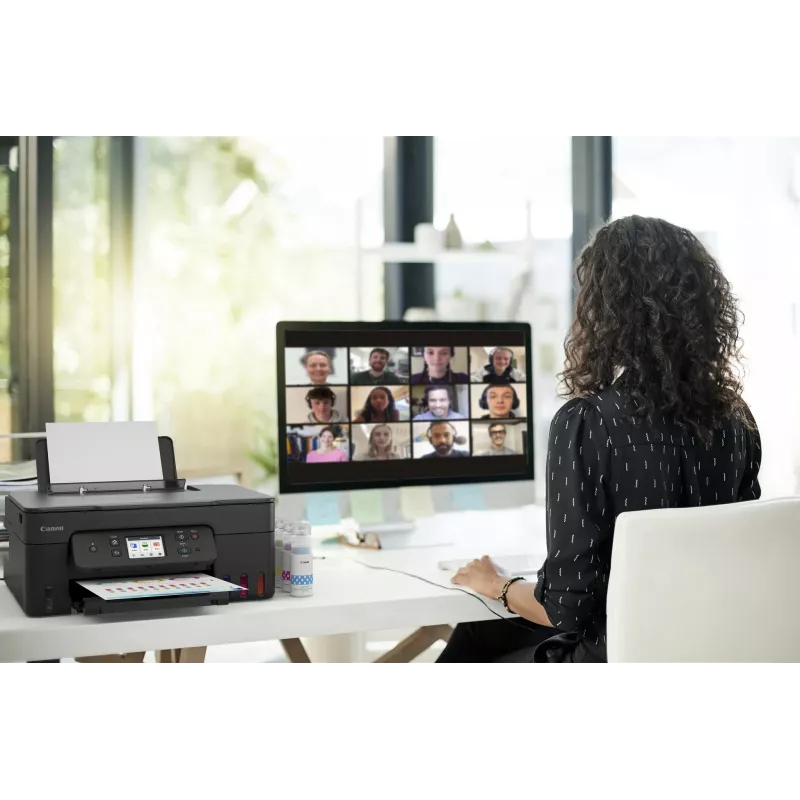
Enjoy low-cost, high-quality documents and photos and fast two-sided prints with this easy to use, refillable and Wi-Fi-equipped 3-in-1 home printer.

Fast, high-quality two-sided prints. Huge savings
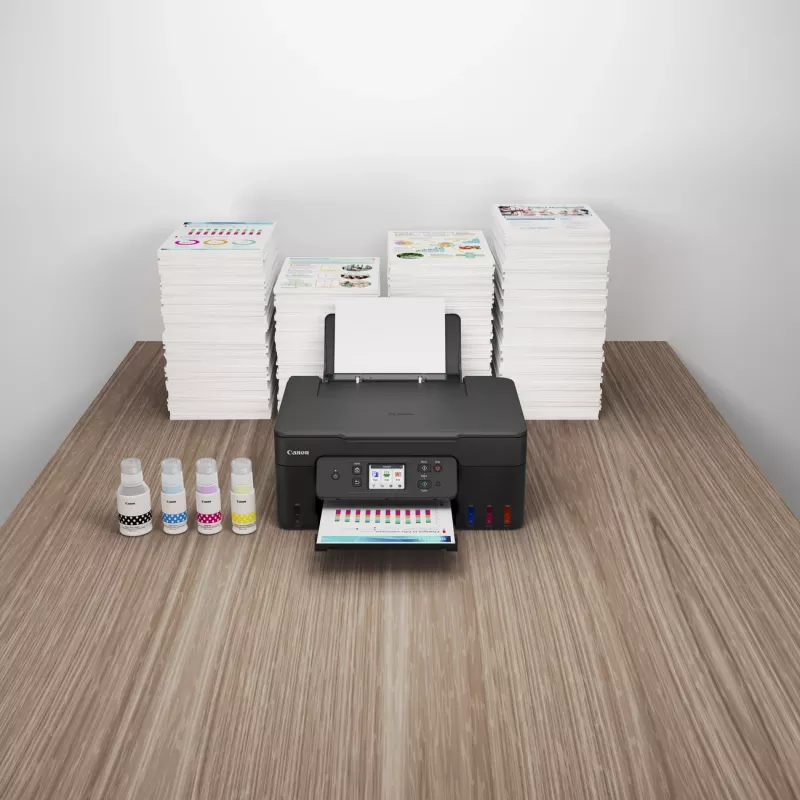
Make huge savings on home printing, print two-sided documents quickly and print wirelessly with ease with this highly efficient MegaTank printer. Thanks to its refillable ink tanks, a single set of ink bottles can deliver up to 8.100 prints1, making running costs refreshingly low compared to cartridge-based printers.

Ultra-low running costs
Make huge savings over the printer’s lifetime thanks to refillable high-yield ink tanks. Print 6.000 pages from a black ink bottle (7.600 in Economy) and 7.700 pages from a set of colour ink bottles (8,100 in Economy)

Fast, high-quality results
Both documents and photos look fantastic, thanks to pigment black ink and dye-based colour inks. And they arrive quickly too, with print speeds of 11.0 ipm (mono) and 6.0 ipm (colour) and automatic duplex printing

Simple operation
Easy, straightforward day-to-day use thanks to a tilting 2.7” colour LCD touch screen, user-friendly Switch UI menu and single-action print head installation

Wireless connectivity
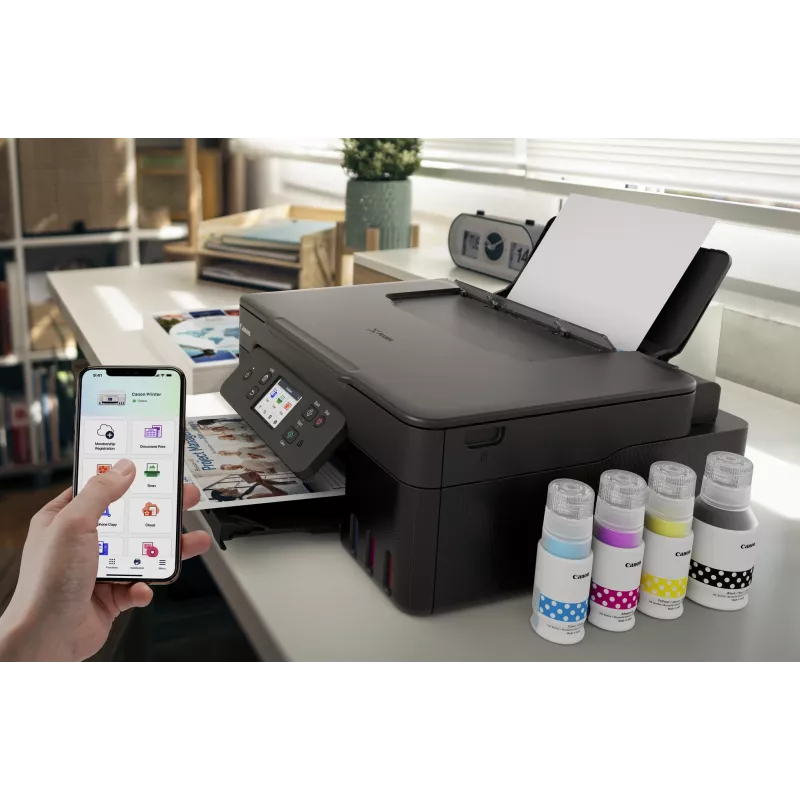
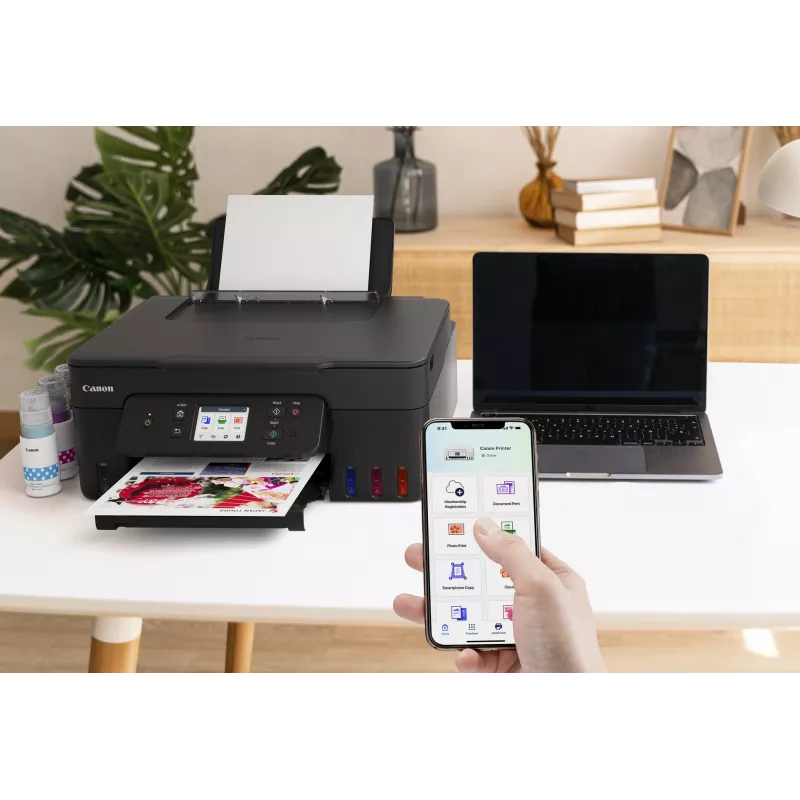
Print seamlessly from a range of devices with Wi-Fi connectivity and support for PIXMA Cloud Link (now with no login requirement), Canon PRINT app, Apple AirPrint and more. Scan documents to your smartphone in seconds with a simple QR code.

Easy at-home maintenance
Keep downtime to a minimum thanks to the user-replaceable maintenance cartridge and mechanical ID no-squeeze ink bottles

Work with more media
Get creative at home with the ability to print on magnetic, iron-on and matte photo paper

How to use

Install the included ink bottles into the refillable tanks following the manufacturer’s filling instructions and connect the device to power. Use the setup software or the printer control panel to connect the PIXMA G3590 to the local Wi‑Fi network or attach via USB for direct printing. Load paper into the input tray, select print settings from your computer or mobile app, and initiate printing. Use the flatbed scanner lid to place documents or photos for scanning or copying and follow the on-screen or software prompts to select resolution and file format.

Recommendations

For reliable long-term operation, use genuine Canon inks and refill only when indicated by the tank levels. Choose appropriate paper types for photos versus documents, and perform periodic nozzle checks and print-head maintenance via the device utilities to preserve print quality.
11.0 ipm / 6.0 ipm

11.0 ipm / 6.0 ipm

Fast print speeds for increased productivity

2.7” tilting colour LCD touch screen

Tilting colour touch display for greater usability
2.7” tilting colour LCD touch screen
High quality printing

High quality printing

Sharp print resolution for high quality photos and documents

3-in-1 printer

Print, scan and copy with a single device
3-in-1 printer
Automatic duplex printing

Automatic duplex printing

Print two-sided documents with ease

100-sheet capacity

Large-capacity rear tray for volume printing
100-sheet capacity
Wi-Fi

Wi-Fi

Connect wirelessly to your computer or smart device

Mac, Windows and Chrome

Works with all major computer operating systems
Mac, Windows and Chrome
Tärkeimmät ominaisuudet
  • Home offices needing economical daily document printing
  • Small businesses producing invoices, reports and marketing flyers
  • Students and home users printing homework, presentations and photos
  • Users who require wireless printing from smartphones and tablets
  • Function: Print, scan, copy
  • Printing technology: Inkjet
  • Ink system: Integrated refillable ink tanks (high-capacity)
  • Connectivity: Wi‑Fi for wireless and mobile printing; USB local connection
  • Colour capability: Colour and black-and-white printing
  • Scanner type: Flatbed scanner suitable for documents and photos
  • Recommended use: Home and small office
  • Physical design: Compact footprint for limited workspace
Tekniset tiedot
Äänenpainetaso (tulostus)
49 dB
AC-tulojännite
100 - 240 V
AC-tulotaajuus
50/60 Hz
Alkuperämaa
Vietnam
Bluetooth
Yes
Energy Star -tyypillinen sähkönkulutus (TEC)
0.22 kWh/week
Ensimmäisen kopion aika (väri, normaali)
23 s
Faksaus
No
Hallintaprotokollat
SNMP, HTTP, TCP/IP (IPv4/IPv6)
Harmaasävyjen syvyys (lähtö)
8 bit
Harmaasävyjen syvyys (tulo)
16 bit
ISO A -sarjan koot (A0...A9)
A4, A5, A6
ISO B -sarjan koot (B0...B9)
B5
Kaksipuolinen kopiointi
No
Kaksipuolinen skannaus
No
Kaksipuolinen tulostus
Yes
Kaksipuolisen kopioinnin tila
Auto
Kaksipuolisen skannauksen tila
Manual
Kaksipuolisen tulostuksen tila
Auto
Kaksipuolisuustoiminnot
Print
Käytön suhteellinen ilmankosteus (H-H)
10 - 90%
Käyttölämpötila (T-T)
5 - 35 °C
Käyttöopas
Yes
Kirjekuorikoot
C5, Com-10, DL
Kopioiden enimmäismäärä
99 copies
Kopioinnin skaalaus
25 - 400%
Kopiointi
Colour copying
Korkeus
268 mm
Korvaavat värikasetit
GI-51 PGBK, GI-51 C, GI-51 M, GI-51 Y
Leveys
416 mm
Markkina-asemointi
Home & office
Mobiilitulostustekniikat
Apple AirPrint, Mopria Print Service, PIXMA Cloud Link
Mukana tulevan värikasetin riittoisuus (CMY)
7700 pages
Mukana tulevan värikasetin riittoisuus (musta)
6000 pages
Mukana tulevan värikasetin riittoisuus (säästötila, CMY)
8100 pages
Mukana tulevan värikasetin riittoisuus (säästötila, musta)
7600 pages
Mukana tulevat kaapelit
AC
Mukana tulevat ohjelmistot
Printer Driver, IJ Printer Assistant Tool
Mukautettu materiaalin leveys
55 - 216 mm
Mukautettu materiaalin pituus
89 - 1200 mm
Mustesäiliöjärjestelmä
Yes
Muut kuin ISO-paperikoot
Executive, Legal, Letter
Muut tuetut käyttöjärjestelmät
ChromeOS
N-in-1-kopiointitoiminto
Yes
N-in-1-kopiointitoiminto (N=)
2, 4
Näytön koko
6.86 cm (2.7")
Näyttö
LCD
Optinen skannaustarkkuus
600 x 1200 DPI
Paino
6.5 kg
Paperilokeron materiaalin paino
64 - 105 g/m²
Paperilokeron tulostusmateriaalit
Envelopes, Glossy paper, High resolution paper, Iron-On Transfers, Matte paper, Photo paper, Plain paper, Semi-glossy paper
Reunaton tulostus
Yes
Reunattoman tulostuksen materiaalikoot
10x15, 13x18, 20x25, A4, Letter
Sisäänrakennettu näyttö
Yes
Skannaus
Colour scanning
Skannaus kohteeseen
Cloud
Skannaustekniikka
CIS
Skannerin tyyppi
Flatbed scanner
Suoratulostus
Yes
Suurin ISO A -sarjan paperikoko
A4
Suurin resoluutio
4800 x 1200 DPI
Suurin tulostuskoko
216 x 1200 mm
Syöttökapasiteetti yhteensä
100 sheets
Syöttölokeroiden kokonaismäärä
1
Syvyys
555 mm
Taloudellinen tulostus
Yes
Tuetut Mac-käyttöjärjestelmät
Mac OS X 10.15 Catalina, Mac OS X 10.15.3 Catalina, Mac OS X 10.2 Jaguar, Mac OS X 10.3 Panther, Mac OS X 10.4 Tiger, Mac OS X 10.5 Leopard, Mac OS X 10.6 Snow Leopard, Mac OS X 10.7 Lion, Mac OS X 10.8 Mountain Lion, Mac OS X 10.9 Mavericks, Mac OS X 11.0 Big Sur, Mac OS X 12.0 Monterey
Tuetut mobiilikäyttöjärjestelmät
Android, iOS
Tuetut palvelinkäyttöjärjestelmät
Windows Server 2008 R2, Windows Server 2012 R2, Windows Server 2016, Windows Server 2019, Windows Server 2022
Tuetut verkkoprotokollat (IPv4)
Y
Tuetut verkkoprotokollat (IPv6)
Y
Tuetut Windows-käyttöjärjestelmät
Windows 10, Windows 11, Windows 8.1
Tulostus
Colour printing
Tulostusnopeus (ISO/IEC 24734) musta
11 ipm
Tulostusnopeus (ISO/IEC 24734) väri
6 ipm
Tulostustekniikka
Inkjet
Tulostusvärit
Black, Cyan, Magenta, Yellow
Tuotteen väri
Black
Turva-algoritmit
SNMP
USB-liitäntä
Yes
USB-liitäntä
USB Type-B
Valokuvapaperin koot
10x15,13x18,18x25,20x25
Värikasetit mukana
Yes
Värikasettien määrä
4
Värinäyttö
Yes
Värisyvyys (lähtö)
8 bit
Värisyvyys (tulo)
16 bit
Virrankulutus (kopiointi)
18 W
Virrankulutus (pois päältä)
0.1 W
Virrankulutus (valmiustila)
1.5 W
Virtajohto mukana
Yes
Wi-Fi
Yes
Wi-Fi Direct
Yes
Wi-Fi-standardit
802.11a, 802.11b, 802.11g, Wi-Fi 4 (802.11n), Wi-Fi 5 (802.11ac)

Käyttöohje

Avaa asiakirja
Hintahistoria viimeisen 6 kuukauden ajalta
Canon PIXMA G3590 mustesuihkutulostin A4 4800 x 1200 DPI WLAN
Nykyinen
383,42 €
Alin
366,16 €
Ylin
483,87 €
Muutos 24 h
+17,27 €   +5%
Viikko
+13,55 €   +4%
Kuukausi
-99,81 €   -21%

Suositut tuotteet tässä kategoriassa

Myyjä: UAB KUR LT · Laisvės pr. 125A, LT-06118 Vilna, Liettua · Yritystunnus 303192950 · ALV-numero LT100008198612 · Toimitus EU:sta (Liettua)
Hei, olen DistriNoden tekoälyavustaja. Autan sinua löytämään tuotteita, vertailemaan vaihtoehtoja, laatimaan tarjouksia PDF-muodossa tai tekemään tukipyyntöjä.
Kaikki kategoriat